Two clients in one slot
Separate calendars do not see each other, so the same time gets booked twice and someone has to be rescheduled.
The SalonCRM calendar keeps the whole salon day in one place: appointments by day and week, separate columns per staff member, visit statuses, online bookings and SMS/e-mail reminders. No paper diary, no doubled bookings and no manual rewriting of times.
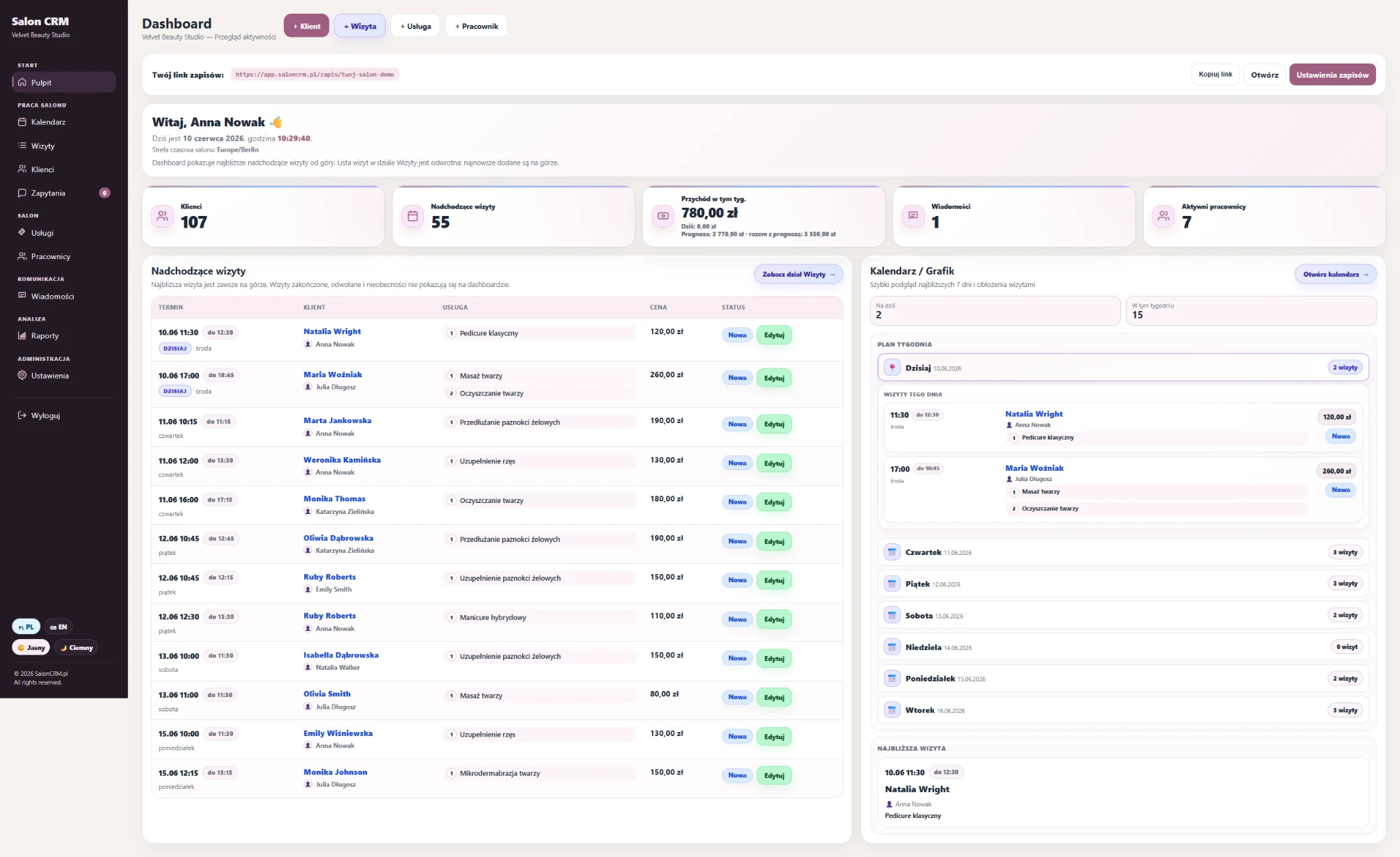
When bookings live in a notebook, a phone calendar and Messenger at the same time, it is easy to double-book a slot, miss a visit or lose track of which staff member is free. A single salon calendar removes that guesswork.
Separate calendars do not see each other, so the same time gets booked twice and someone has to be rescheduled.
Without a reminder tied to the calendar, an unconfirmed visit becomes an empty slot and lost revenue.
With no per-staff view it is hard to tell at a glance who has time and how the day is filling up.
Online requests written down by hand into another calendar waste time and invite mistakes.
It is the daily working view of the salon — not a static planner. You see appointments, staff and statuses, and you act on them from one screen.
Switch between a single day and the whole week to plan ahead and see how the schedule is filling up.
Each staff member has a column, so you instantly see who is busy, who is free and where a new visit fits.
Mark visits as planned, confirmed, completed or cancelled and keep a clear view of the day.
Requests from the salon booking link appear directly in the calendar — no manual rewriting.
Reminders before the visit help reduce no-shows and empty slots in the schedule.
Every appointment shows the client, the chosen service and the assigned staff member.
A general calendar app shows free time. A salon calendar shows the client, the service, the staff member and the status — and connects bookings and reminders.
| Solution | Typical problem | What the SalonCRM calendar gives |
|---|---|---|
| Paper diary | Easy to lose, hard to read across staff, no reminders. | ✓ Day, week and per-staff views with client, service and status. |
| Phone calendar | No client card, no statuses, no salon-specific structure. | ✓ Appointments tied to clients, services and staff in one panel. |
| Separate calendars | They do not see each other, so double bookings happen. | ✓ One shared salon schedule the whole team works from. |
| Manual rewriting | Online requests copied by hand cost time and cause errors. | ✓ Online bookings land in the calendar automatically. |
Set up the basics once, then run the whole day from one schedule instead of several loose tools.
Enter your offer, service durations and the people who perform treatments — the calendar uses them.
Add appointments in the day or week view, assign a staff member and see the status at a glance.
Requests from the salon link land in the same calendar, so nothing is rewritten by hand.
SMS/e-mail reminders help reduce forgotten appointments and empty slots in the schedule.
An empty slot is lost time and lost revenue. A clear calendar with statuses and reminders helps you fill the day and reduce no-shows — without watching every appointment manually.
The gain shows up when the owner and staff stop searching for appointments across several places and work from one schedule that also pulls in online bookings and sends reminders.
Result: a salon schedule you can rely on and more time for client service.
Short and specific — the key things about the SalonCRM salon calendar.
Yes. SalonCRM includes an appointment calendar with day, week and staff views, where each visit shows the client, service, assigned staff member and appointment status.
Yes. The calendar can show separate columns for each staff member, so you see who is busy, who is free and how the whole salon day is filling up.
Yes. Appointments can carry statuses such as planned, confirmed, completed or cancelled, so the salon keeps a clear view of the day without manual notes.
Yes. When a client books through the salon online link, the request appears in the same calendar, so you do not rewrite appointments by hand.
Yes. SalonCRM helps send SMS/e-mail reminders before the visit, which reduces forgotten appointments and empty slots in the schedule.
Yes. The calendar works in the browser on a phone, tablet and computer, so you can check the salon schedule from anywhere without installing an app.
Try SalonCRM and see what running a salon looks like with one schedule — day, week, staff, statuses, online bookings and reminders together.