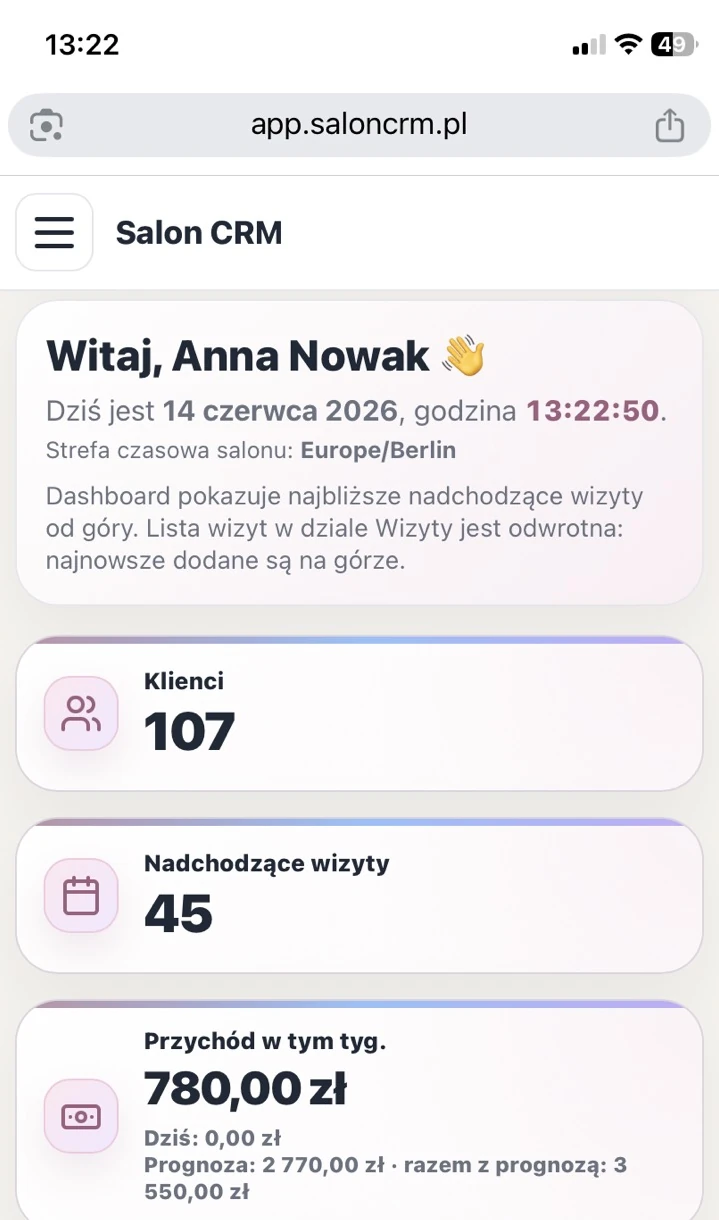
Mobile dashboard
Key numbers, upcoming visits and a quick salon overview without opening a laptop.
SalonCRM helps you manage online booking, appointment requests, schedule, clients, services and reminders in one online panel. It runs on desktop, tablet and phone — no installation, no app store and no manual copying of appointments from messages.
SalonCRM is a browser-based salon booking app. Clients can send booking requests through one permanent link, while the salon sees everything in one panel, plans appointments, assigns staff and keeps visit history close at hand.
mobile view
SalonCRM is a browser-based web app. Log in from a desktop, tablet or phone and manage appointments even when you are away from reception.
Key numbers, upcoming visits and a quick salon overview without opening a laptop.

Check your schedule, availability and day plan even when you are away from reception.

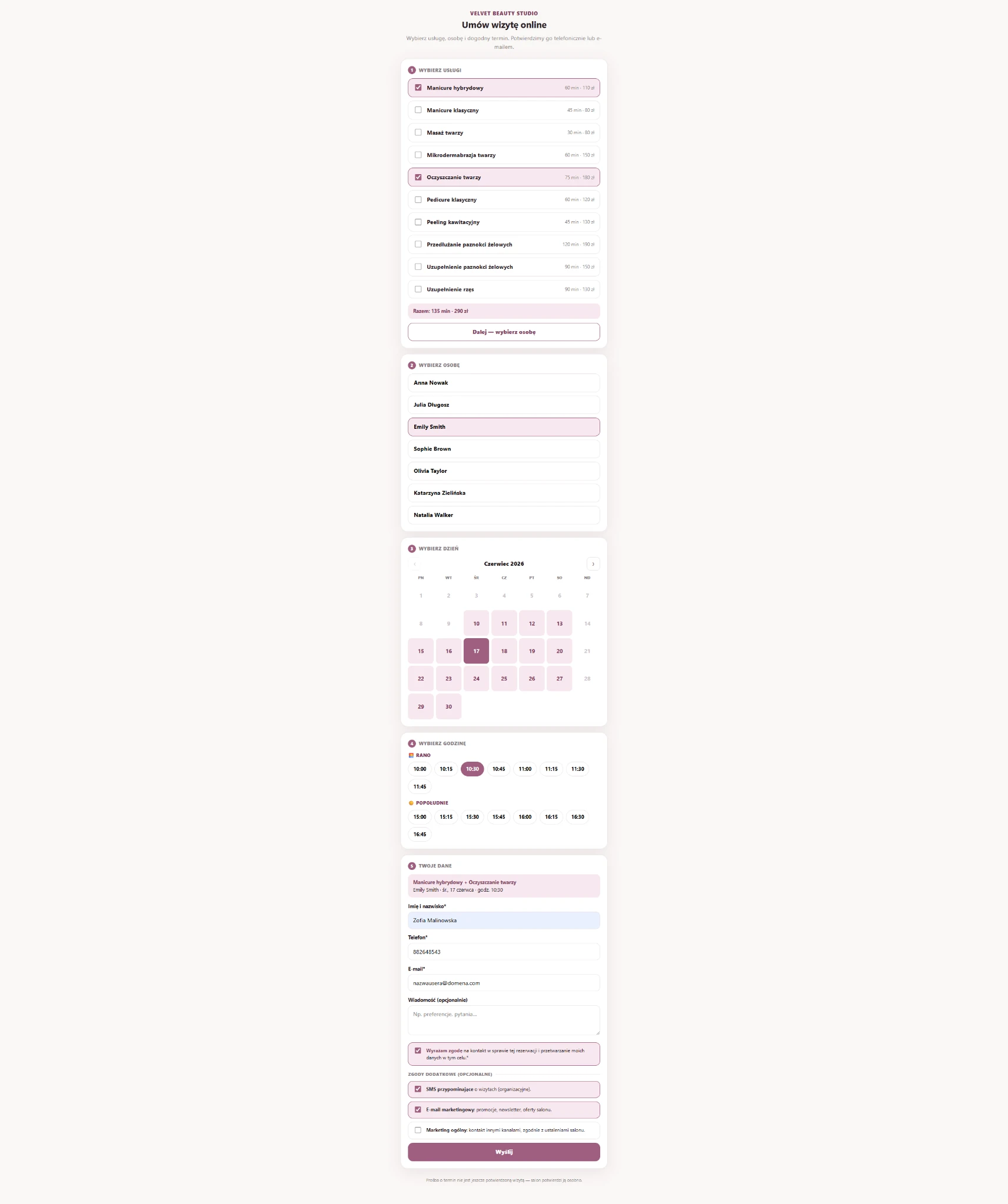
The client sends a request through your link and you see it in one place, ready to turn into an appointment.
Explore the views most useful for everyday booking: online requests, calendar, client communication and mobile access.
Each salon gets its own online booking link. A client can open it on a phone, choose a service and send a request. It is convenient for the salon because every request lands in one place, and convenient for the client because booking always follows the same flow.
The client sends a request through your link and you see it in one place, ready to turn into an appointment.
Check your schedule, availability and day plan even when you are away from reception.

SalonCRM helps you manage SMS/e-mail reminders, outgoing messages and contact history. It becomes easier to return to earlier arrangements and reduce situations where a client forgets about the visit.

In one app you manage services, durations and availability so booking always reflects the real salon offer and schedule.

Revenue, returning clients and key performance metrics are available on mobile as well.
The biggest difference is that bookings stop being spread across SMS, Messenger, Instagram and scattered notes.
You can share the same booking link everywhere, while requests still arrive in one panel.
The client chooses a service and preferred time first, so the conversation starts with clear details.
You can check the calendar in your browser on phone, tablet or desktop.
Inside the client card you keep visit history, notes, consents and contact in one place.
Each salon gets its own online booking link. A client can open it on a phone, choose a service and send a request. It is convenient for the salon because every request lands in one place, and convenient for the client because booking always follows the same flow.
You see the client, service, preferred time and contact details. From there you can contact the client, reject the request or create an appointment in one click. The app speeds up everyday work instead of adding more friction.
When you are on the move, you can still check the day plan, staff workload and visit statuses without sitting at the desk. That matters when the owner or a staff member needs a quick view of the schedule.
SalonCRM helps you manage SMS/e-mail reminders, outgoing messages and contact history. It becomes easier to return to earlier arrangements and reduce situations where a client forgets about the visit.
The app goes beyond booking. On the phone you can quickly review revenue, number of visits, returning clients and core stats that help you stay informed even outside the salon.
A calendar shows time slots, but it does not manage the full workflow. SalonCRM connects online booking, clients, services, staff, visit statuses, contact history and SMS/e-mail reminders.
SalonCRM is positioned mainly for beauty salons, cosmetologists, hairdressers, nail and lash studios, but the underlying workflow — services, staff, schedule and fixed appointment times — can work anywhere visits are scheduled for specific time slots.
No. You can use the app even if you enter visits manually. The online booking link is an extra option that helps organise requests from the web.
Setup is simple: define the basics first, then share your link with clients and start working from one panel.
Set duration, prices, staff members and their availability in the schedule.
Place it on your website, in your bio, in SMS, WhatsApp or Google Business Profile.
Create appointments, track statuses, use the calendar and review client history.
Explore related SalonCRM solutions for booking, scheduling and everyday salon management.
Open the demo and see online booking, calendar, clients, services, messages and the mobile view of daily salon work in practice.