Appointments are spread across several places
Phone calls, Messenger, Instagram, notebooks and calendars. The more sources you use, the easier it is to miss a booking or confuse arrangements.
SalonCRM helps salon owners organise daily work: schedules, appointments, staff, services, clients, booking requests, reminders and communication. Instead of searching through notebooks, Messenger and multiple calendars, you manage the salon from one browser-based panel.
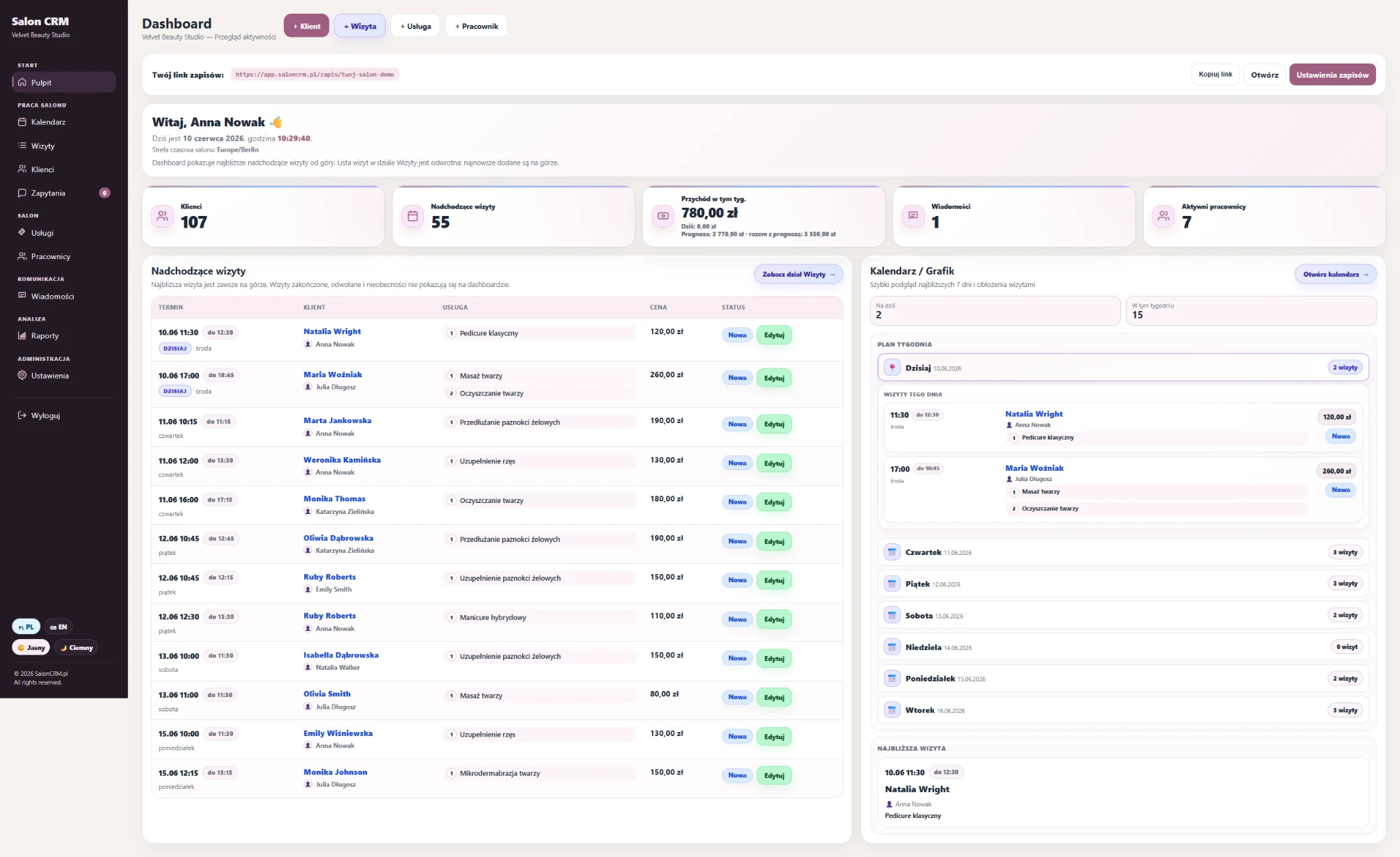
As a salon grows, the owner needs a clear view of the day: who is working, which appointments are scheduled, which clients need contact and where booking requests arrive.
Phone calls, Messenger, Instagram, notebooks and calendars. The more sources you use, the easier it is to miss a booking or confuse arrangements.
Without one clear view, it is hard to control availability, workload and team workflow during the day.
Notebook, consents, photos, preferences and previous services should be at hand before the next appointment.
The owner wants to instantly see appointments, revenue, clients, messages and requests without manually building reports.
SalonCRM brings daily salon work into one panel: from schedule planning to client history and online booking requests.
A quick view of the day, upcoming appointments, active staff members, messages and key salon data.
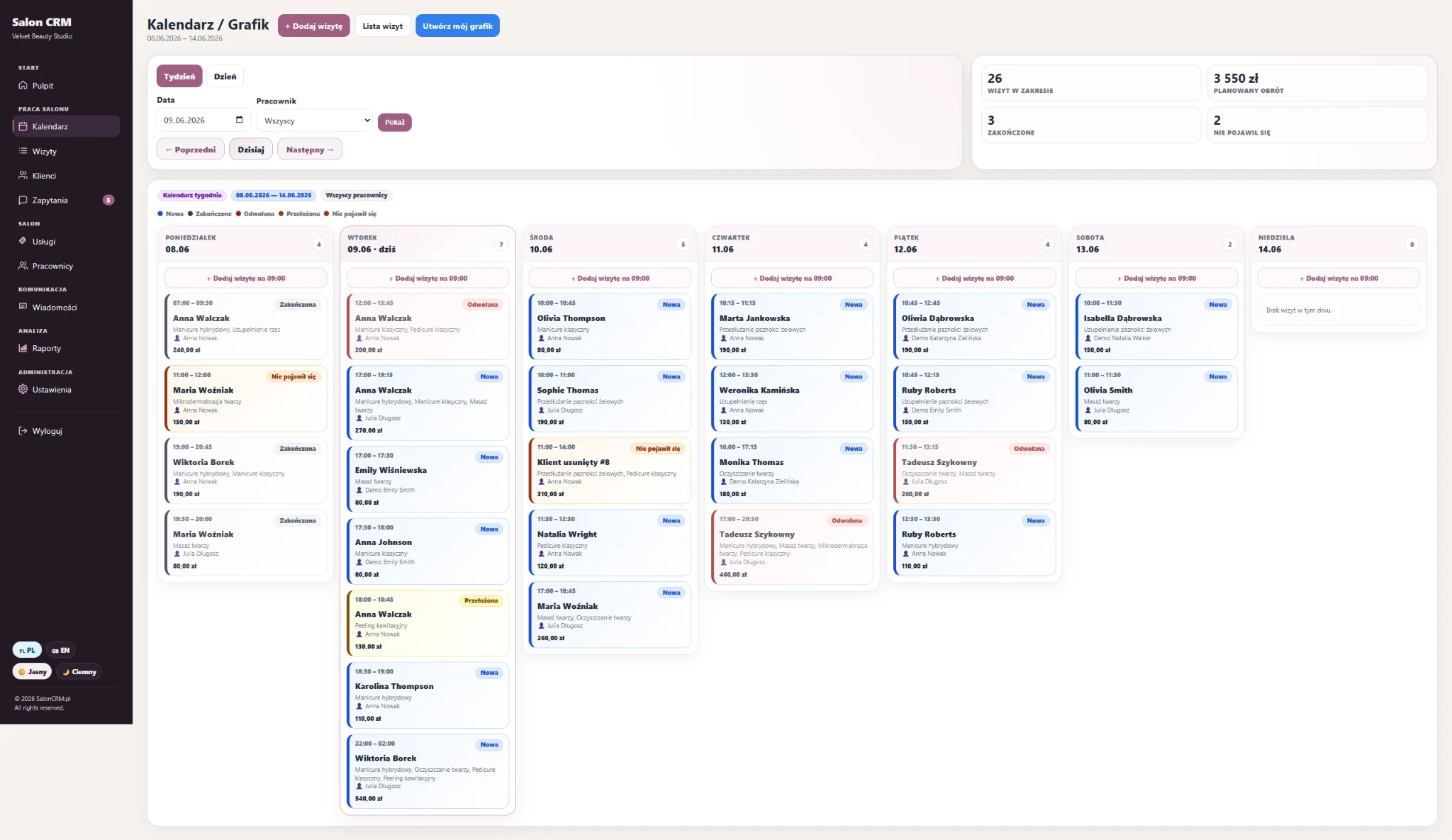
A clear view of salon work, staff members, services and appointment statuses.
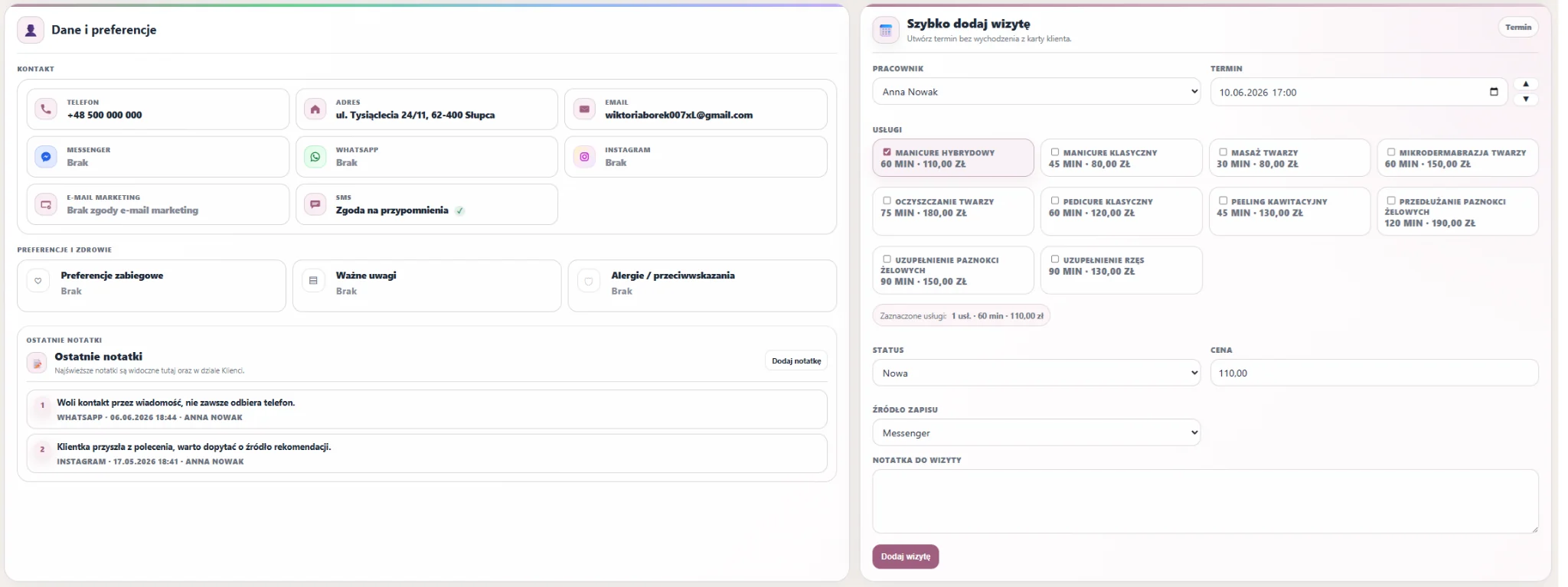
Contact details, preferences, service history, photos, GDPR consents and notes in one place.
Duration, prices, staff assignment and a clear salon offer structure.
Clients send requests through a permanent link and the salon handles them from one panel.
Reminders, messages and contact history reduce manual appointment follow-up.
Instead of one grid of tiny screenshots, this page shows the key owner workflows: dashboard, schedule, clients, online requests and communication.
When you open the panel, you see the most important information: upcoming appointments, clients, active staff, messages and a quick schedule preview.
SalonCRM helps control appointments, statuses and staff workload. It makes it easier to plan the day and react faster to schedule changes.
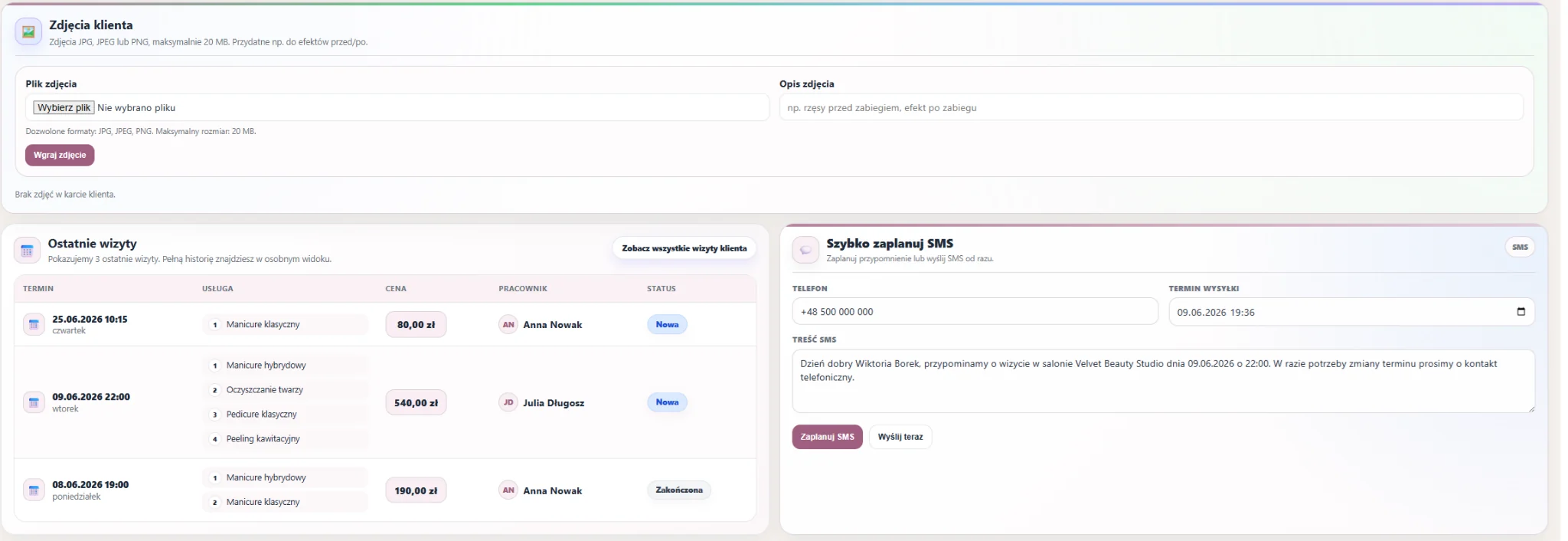
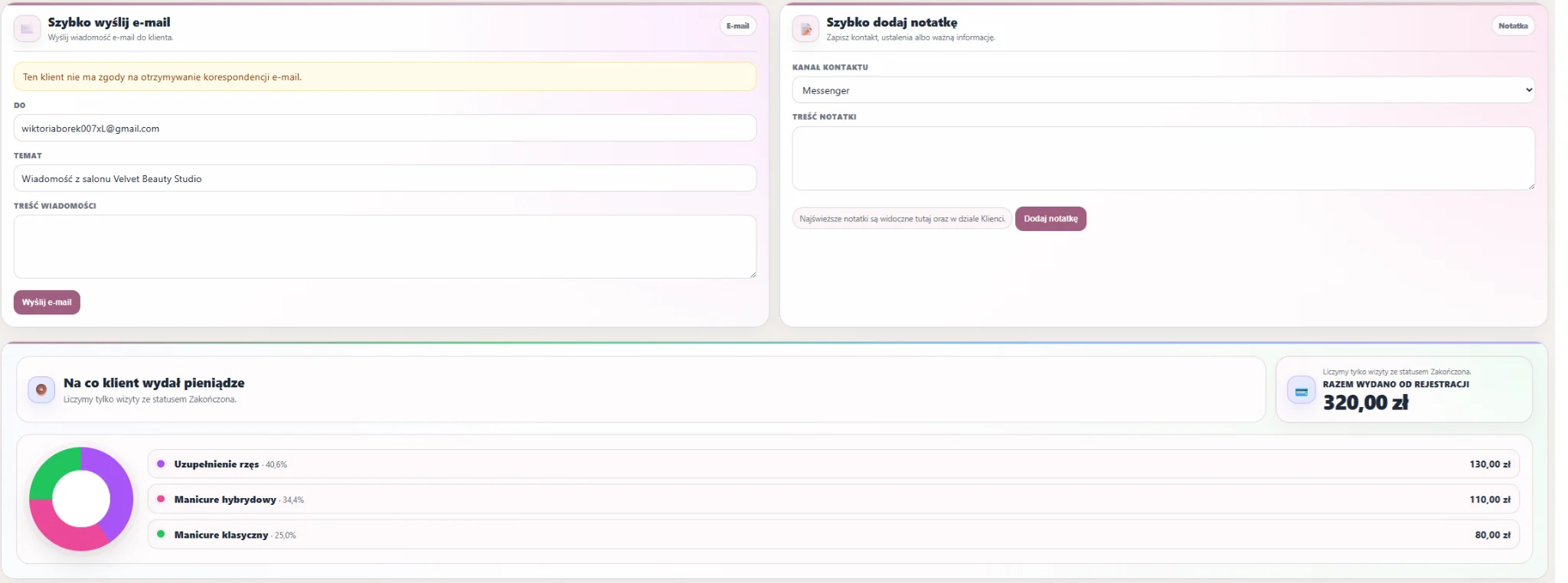
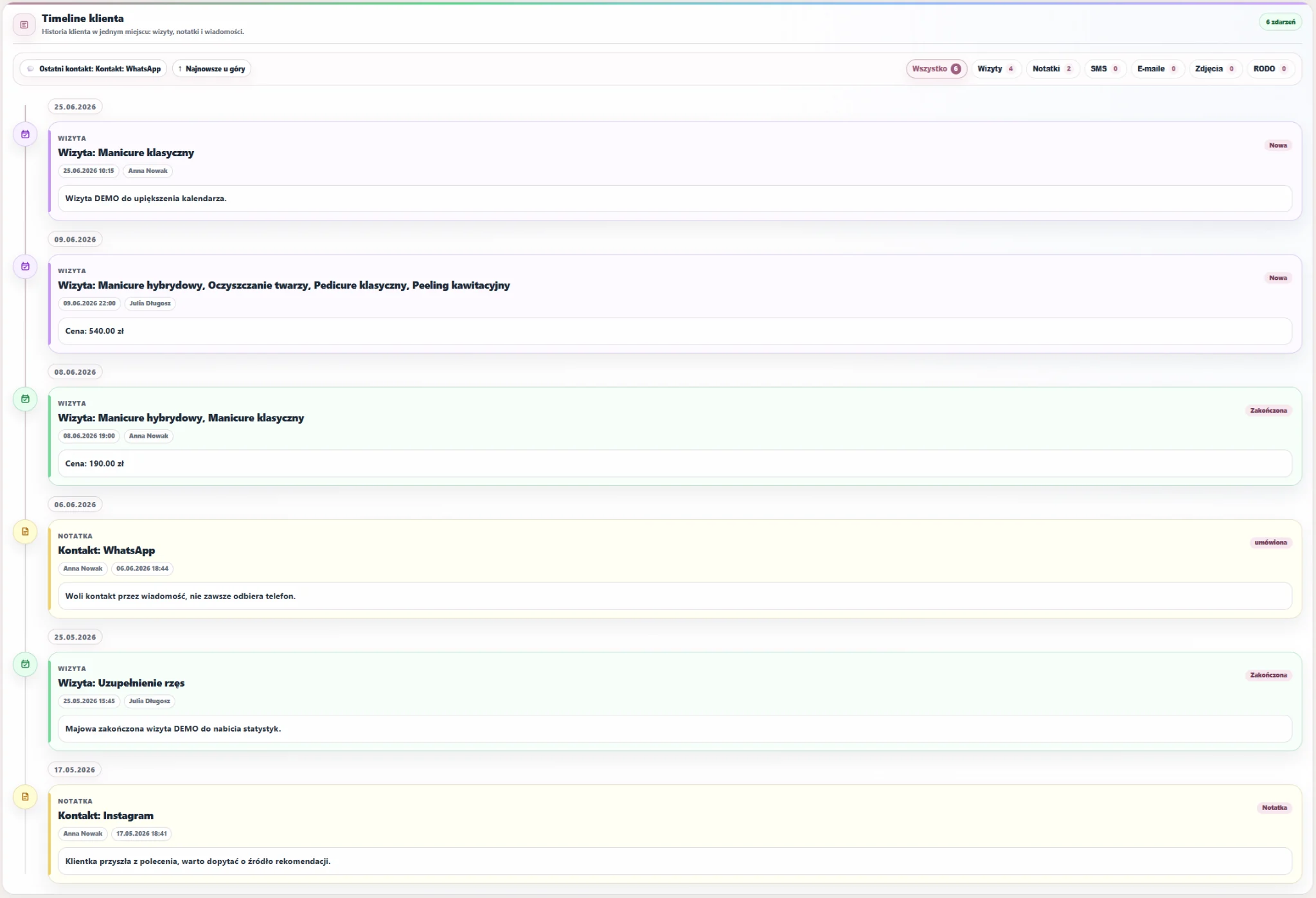
In the client card, you can check contact details, preferences, notes, photos, recent appointments, spending, GDPR consents and the full contact timeline.


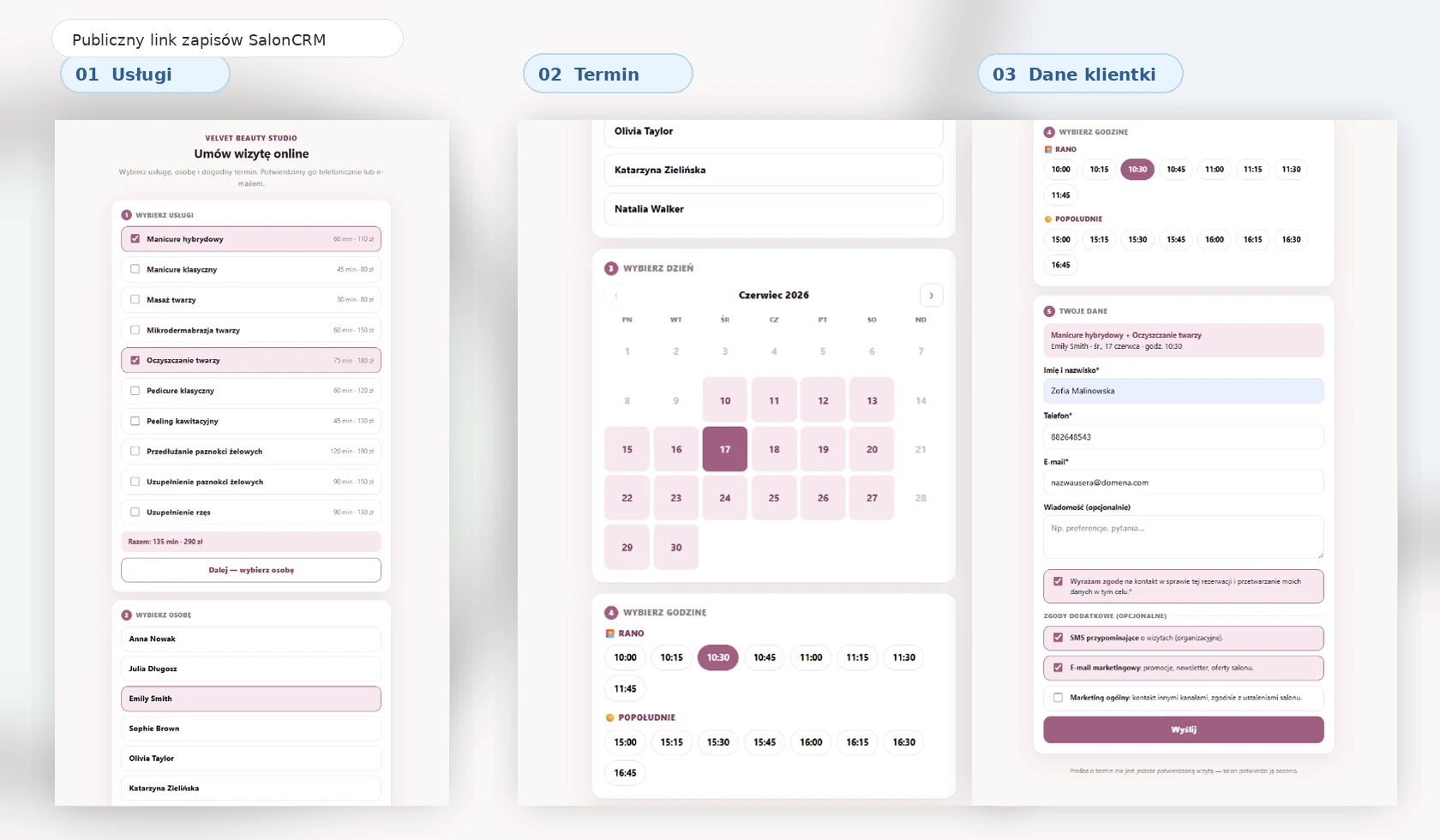
Each salon has its own online booking link. You can add it to your website, Instagram, Google Business Profile, SMS or WhatsApp. The client chooses a service, staff member and time, and the request arrives in the panel.
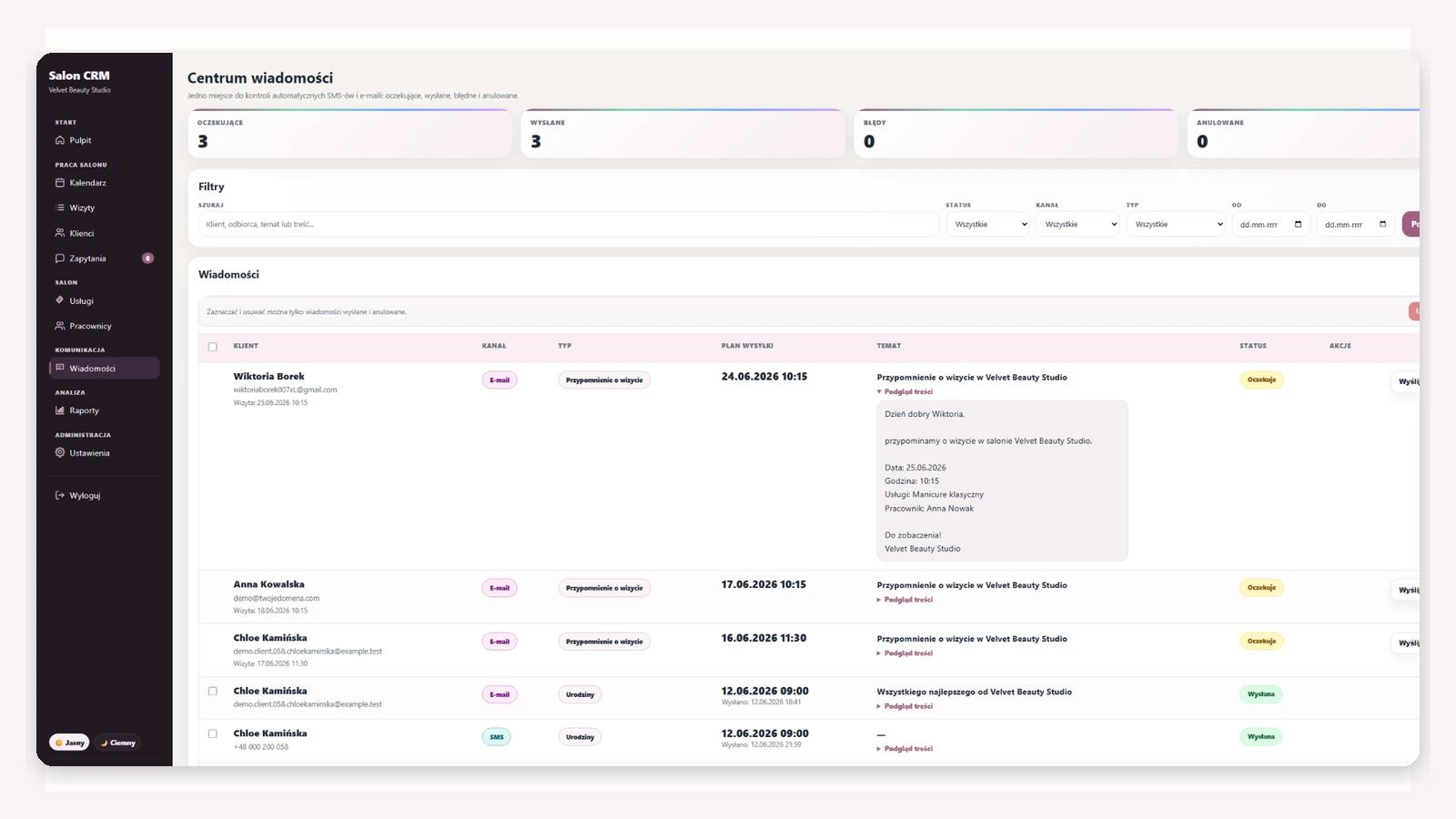
SalonCRM helps send SMS/e-mail reminders, save notes and keep contact history in one place. This matters for returning clients and team-based salon work.
SalonCRM is not just a calendar. It is one place to organise salon work, client service and daily processes.
| Way of working | Typical problem | What SalonCRM gives you |
|---|---|---|
| Notebook | Hard to find client history, schedule changes and staff arrangements. | ✓ Appointments, clients and notes in one panel. |
| Spreadsheet | No reminders, automation, client cards or convenient team workflow. | ✓ Calendar, statuses, SMS/e-mail, services and staff. |
| Messenger | Arrangements get lost in conversations and are hard to link to appointment history later. | ✓ Contact history and information attached to the right client. |
| Separate calendars | No full view of the salon, team and services in one place. | ✓ A view of salon work, schedule and online requests. |
| Marketplace | Clients get used to someone else’s platform instead of your own service process. | ✓ Your own panel, your own link and your own client database. |
SalonCRM works for beauty salons, aesthetic clinics, nail salons, lash studios, hair salons, massage studios and small service teams.
A quick overview of the day, appointments, clients, staff and booking requests.
Schedules, roles, services, staff and appointment statuses in one system.
Order in clients, appointments and communication without a complicated setup.
A permanent booking request link and less manual replying.
Calendar, client card, service history, consents, photos and reminders.
Client returns, appointments, photos, service history and quick messages.
Regular appointments, notes, photos, returns and client communication.
Staff schedule, services, clients, statuses and service history.
First you organise the salon basics, then daily work flows into one panel.
Enter your salon offer, prices, service duration and staff members.
See appointment times, statuses, clients and assigned staff members.
Clients send requests through the link, and you create the appointment and send confirmation.
After the visit, notes, photos, services, consents and useful details stay in the client record.
The biggest benefit appears when the owner and staff no longer have to search for appointments, arrangements and client history in several places every day.
SalonCRM organises repetitive work that usually takes the most attention from the owner and the team.
It is not just software cost — it is a more organised salon service process.
Questions for salon owners looking for salon management software.
It is a system that helps manage schedules, appointments, client database, staff, services, online requests, reminders and documentation from one panel.
Yes. SalonCRM supports staff members, roles, services, schedules and appointments, so the owner can control team workflow.
Yes. The calendar and schedule help plan appointments, assign visits to staff and check appointment statuses.
Yes. Each salon can share a permanent online booking link, and client requests arrive in the panel.
Yes. The client card stores contact details, appointments, notes, photos, GDPR consents, spending and contact history.
Yes. SalonCRM works in a browser on phones, tablets and computers.
In many daily processes, yes, because it combines the calendar, clients, contact history, services, staff and requests in one place.
Yes. You can try the SalonCRM demo and also view the public online booking link.
These pages explain specific features and use cases of the system.
Try SalonCRM and see what daily salon work can look like without notebooks, message chaos and manual appointment follow-up.