Bookings from many places
Clients use the channel that is convenient for them, while the salon still has to move the details into the calendar.
SalonCRM helps collect appointment requests through a fixed booking link, plan visits in a calendar, assign staff and send SMS/e-mail reminders. It is designed mainly for beauty salons, hairdressers, cosmetic studios and service businesses that work by appointment.
When bookings come from phone calls, Messenger, Instagram, WhatsApp and SMS, details are easy to lose and the same appointment has to be copied manually.
Clients use the channel that is convenient for them, while the salon still has to move the details into the calendar.
Every appointment question means checking availability, services, staff and working hours again.
Without one day and week view, it is easier to mix up time, staff member or appointment status.
No reminder before the appointment increases the risk of an empty slot in the schedule.
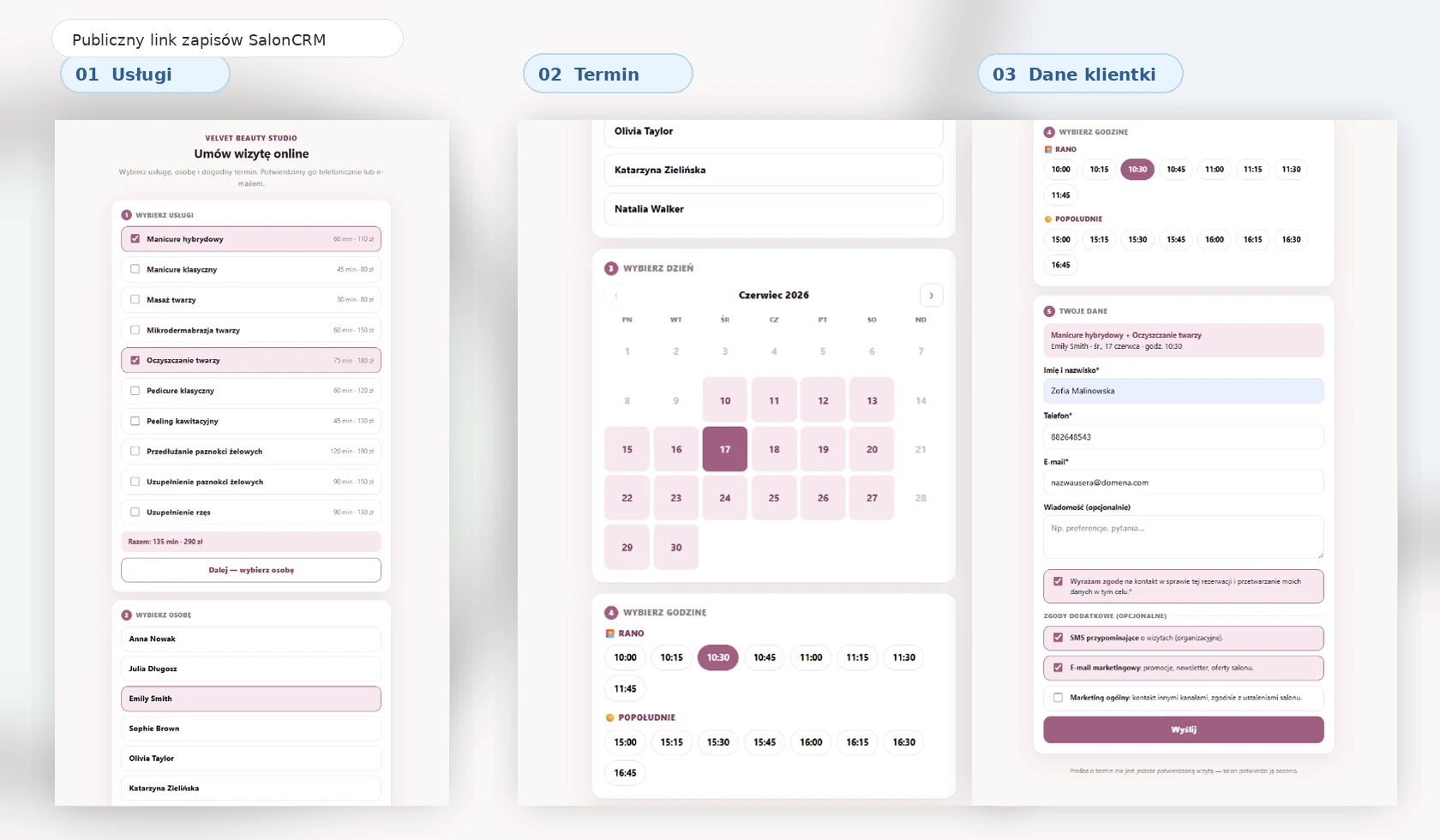
From a link sent to a client to a confirmed appointment in the calendar — without scattered messages or manual copying.
Add it to your website, Instagram, Google Business Profile or send it by SMS and WhatsApp.
The client chooses a service, staff member and preferred time based on your schedule.
You see client details, service, preferred time and booking source in one place.
You can turn the request into an appointment and send a confirmation or reminder.
Key parts of the system: online booking link, request inbox, calendar, client card and communication.
Every salon gets its own online booking link. You can add it to Instagram bio, your website, Google Business Profile or send it directly in a message.
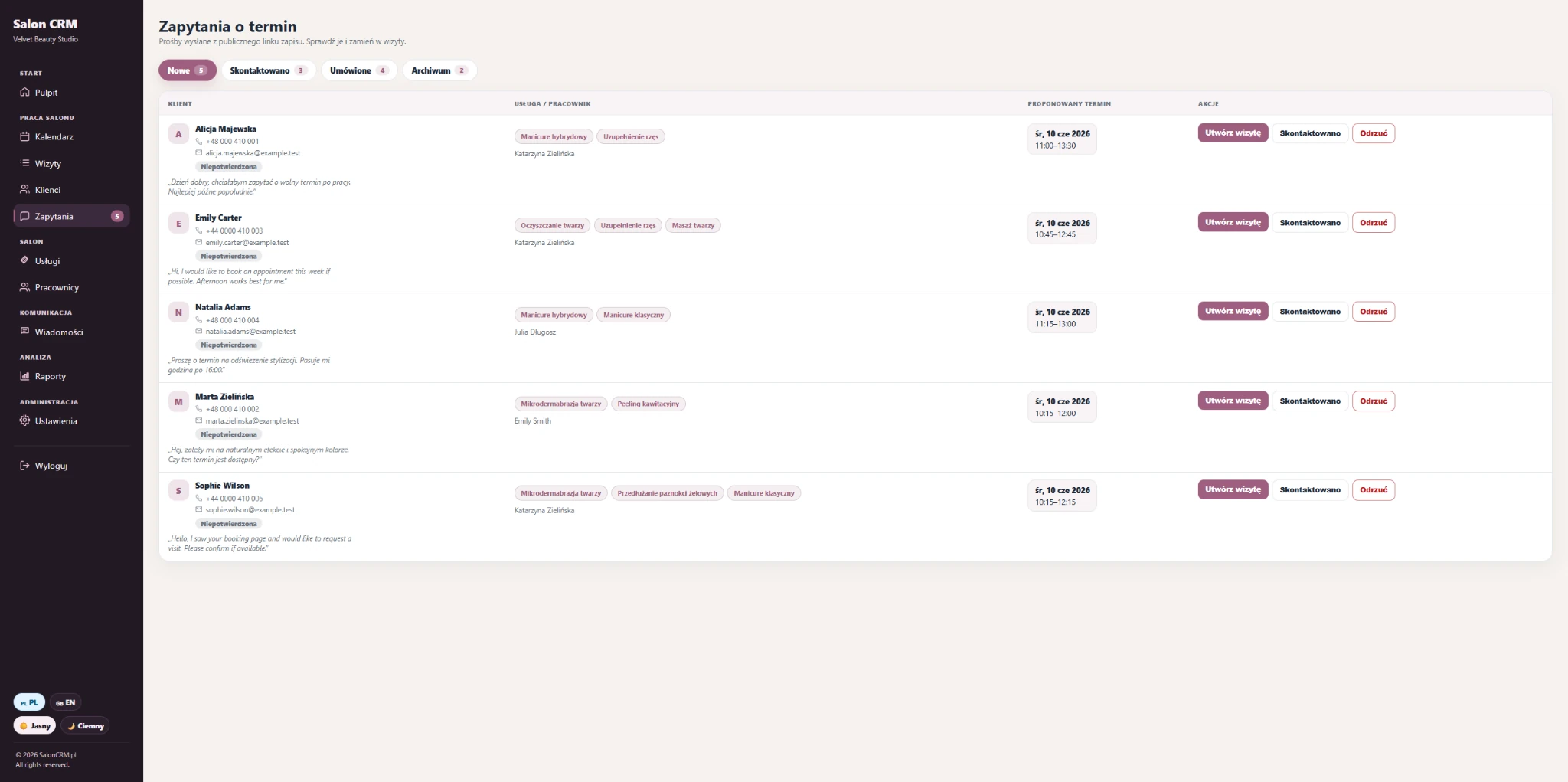
When a client sends a request through the link, the salon sees it in the panel. You can check the service, preferred time, contact details and create an appointment in one click.
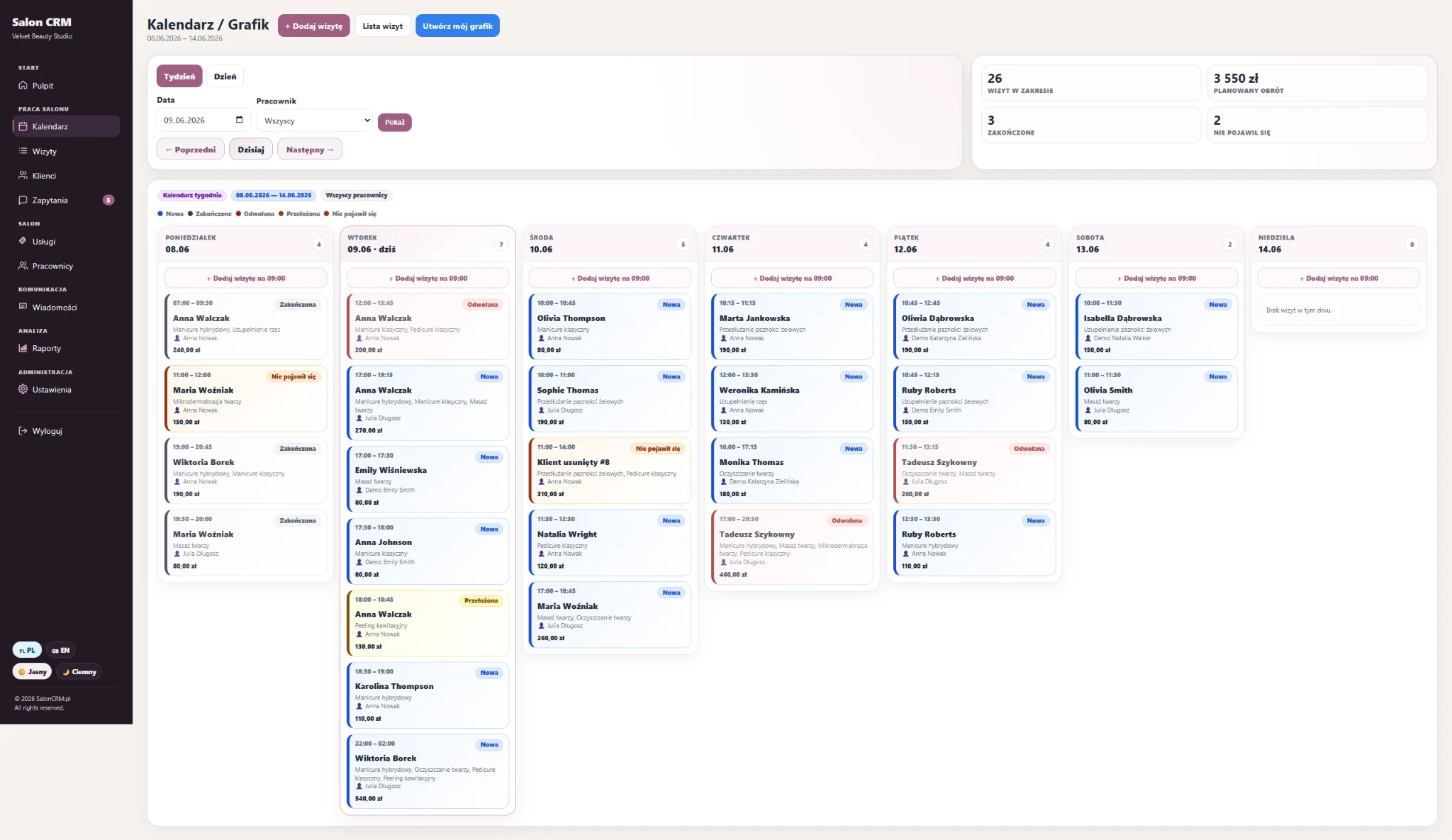
You see appointments, staff, statuses and schedule load. This makes it easier to find a free slot and reply to clients faster.
For returning clients, you can quickly check service history, preferences, notes and previous appointments. This helps schedule the next visit without searching across multiple places.
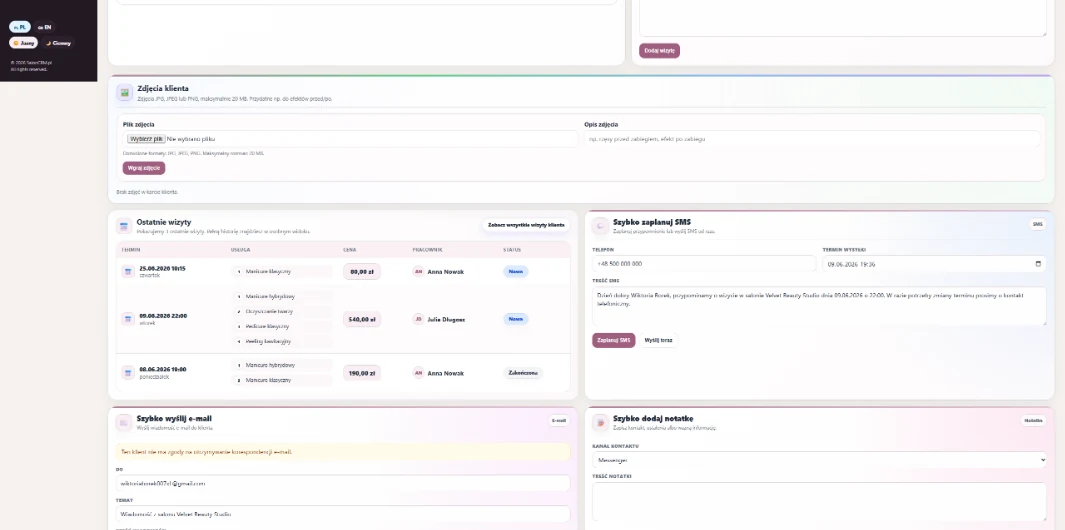
After an appointment is created, SalonCRM helps send an SMS or e-mail reminder. The client receives the appointment information, and the salon reduces the risk of no-shows.
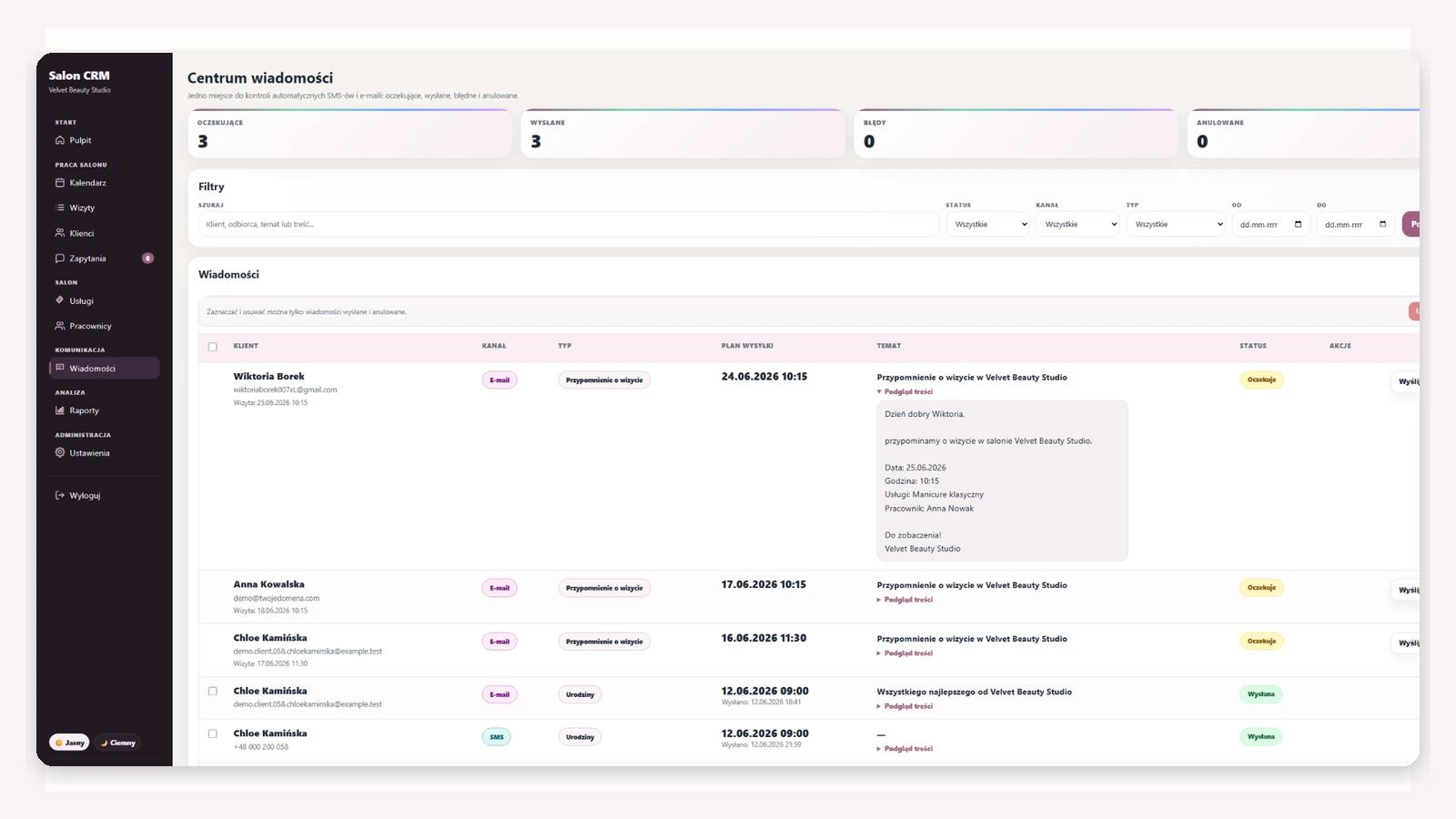
SalonCRM does not replace client conversations. It organises the process behind them, so bookings, times and history are not scattered across tools.
| Booking method | Typical problem | What SalonCRM gives you |
|---|---|---|
| Phone | Interrupts work and requires checking availability manually. | ✓ Requests and appointments in one panel. |
| Messenger / Instagram | Arrangements get buried in conversations. | ✓ Details, services and times move into the system. |
| Paper notebook | It is easy to mix up time, service or staff member. | ✓ Calendar, statuses and appointment history. |
| Google Calendar only | Missing services, client cards, salon requests and reminders. | ✓ Full appointment workflow. |
| Marketplace | The client returns to someone else’s platform instead of your link. | ✓ Your own link and client base. |
SalonCRM is built mainly for the beauty industry, but the service, staff, schedule and online request workflow works wherever appointments matter.
Appointments, services, clients, history, photos and reminders in one panel.
Staff schedules, service times and fast rebooking of returning clients.
A fixed booking link, appointment requests and a calendar for timed services.
Set the basics: services, staff and working hours. Then you can collect requests from your link and create appointments in the calendar.
Define duration, price and staff members who perform each service.
Staff have their schedules, which help organise availability.
Clients send appointment requests, and you confirm them from the panel.
SMS/e-mail reminders help reduce forgotten appointments and empty slots.
An empty slot means lost time, space in the schedule and real revenue. SalonCRM helps organise bookings, reminders and client communication so fewer things have to be handled manually.
The biggest difference appears when bookings, calendar and communication are part of one process.
It is not just a calendar — it is an appointment workflow from link to reminder.
Questions for salons looking for appointment scheduling software.
It is a system that helps collect appointment requests, plan visits in a calendar, assign staff, manage client cards and send reminders.
Yes. A salon can share a fixed online booking link where a client chooses a service, staff member and preferred time.
Yes. Appointment requests land in the panel, where you can review details and create an appointment.
Yes. In this workflow, the client sends a request and the salon keeps control over confirming the appointment.
Yes. SalonCRM helps handle SMS/e-mail reminders depending on the selected plan and client consents.
Yes. SalonCRM works in a browser on a phone, tablet and computer.
Yes. SalonCRM is built mainly for beauty salons, cosmetic studios, hairdressers, nail stylists and appointment-based services.
Yes. Click “Try the demo” and submit your salon for a free trial.
Try the system demo and check the online booking link.