Appointments saved in several places
Notebook, Messenger, phone and Google Calendar. The more sources you use, the easier it is to miss an appointment or mix up the time.
SalonCRM helps you run a beauty salon from one place: appointment calendar, client database, client card, staff, services, online booking, SMS/e-mail reminders and reports. No notebook chaos, no searching through Messenger, and no manual rewriting of appointment details.
As your salon grows, appointments, notes, consents and client history start getting lost across several places. SalonCRM organises daily service before small chaos starts costing real money.
Notebook, Messenger, phone and Google Calendar. The more sources you use, the easier it is to miss an appointment or mix up the time.
No reminder means an empty slot, wasted staff time and unused space in the schedule.
Preferences, photos, allergies, consents and notes should be in the client card, not in memory or scattered messages.
Staff, services, appointment statuses and revenue are scattered, so the owner loses time checking everything manually.
It is not another “pretty spreadsheet”. It is a panel that helps you serve a client from an appointment request, through the visit, to history and follow-up contact.
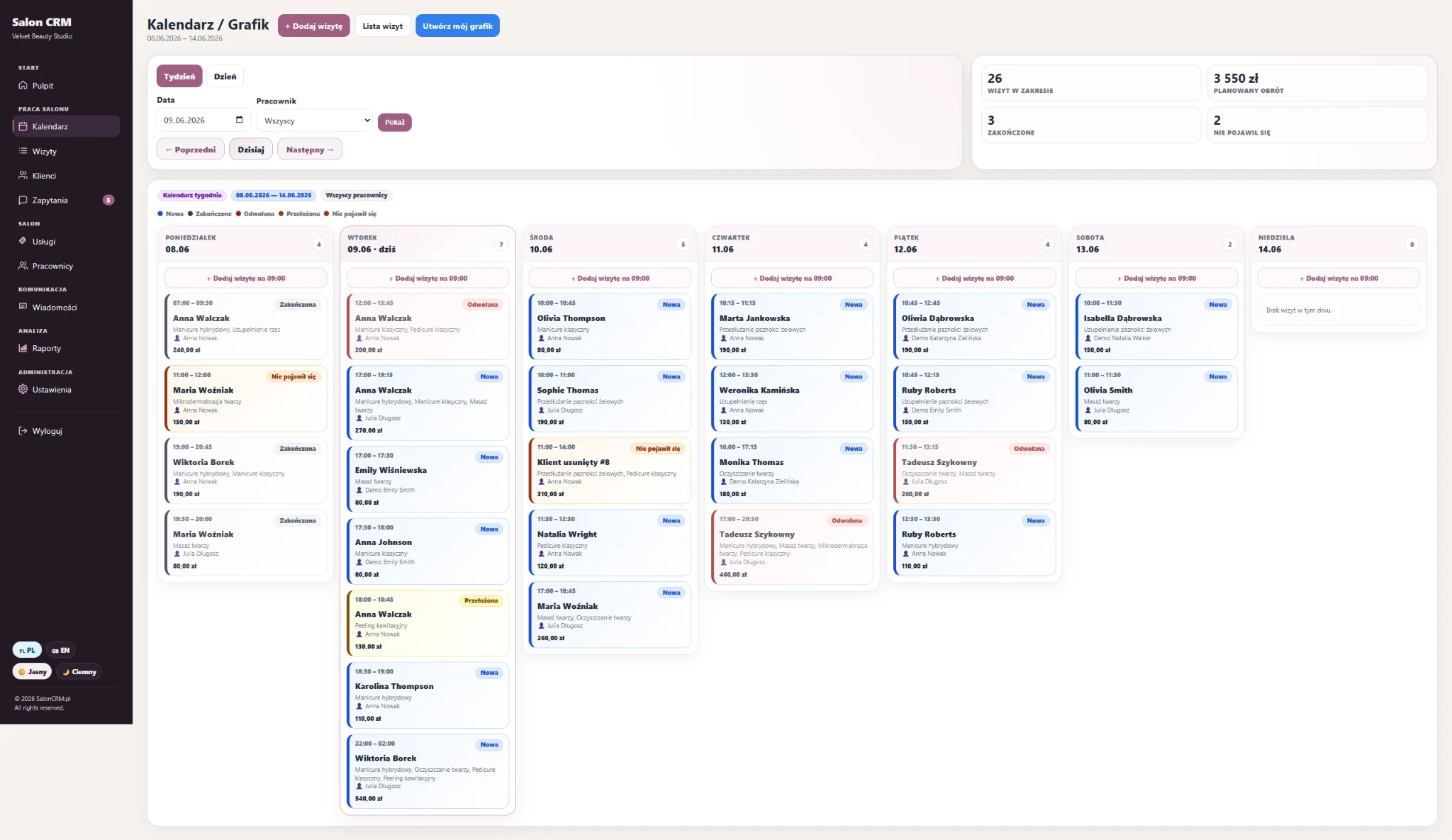
Day and week view, appointment statuses, assigned staff, services, prices and quick schedule control.
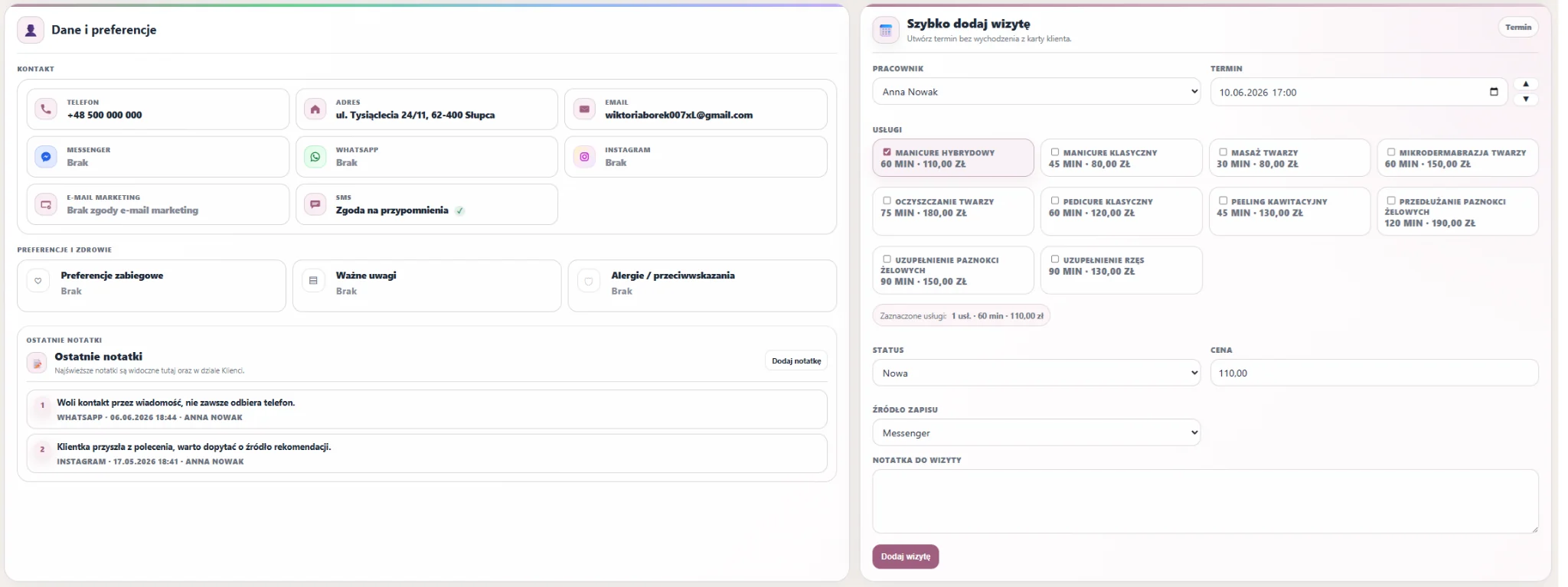
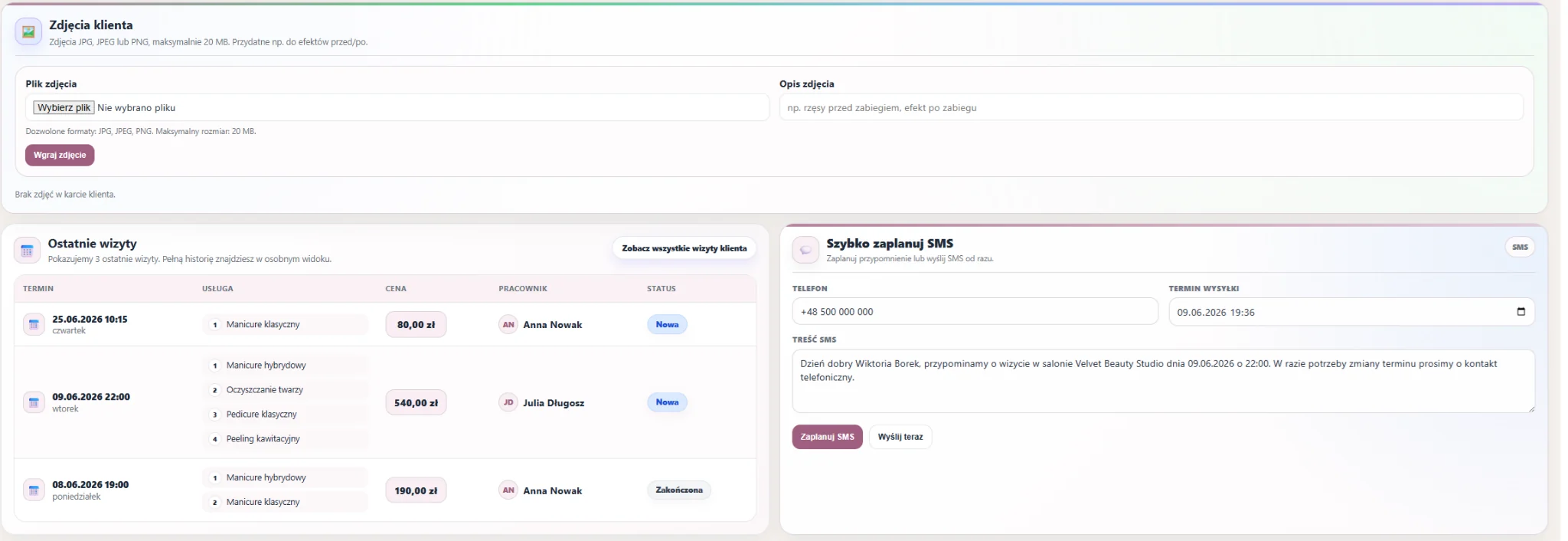
Visit history, notes, photos, GDPR consents, preferences, contact details and communication in one place.
Automatic pre-visit messages help reduce no-shows and empty calendar slots.
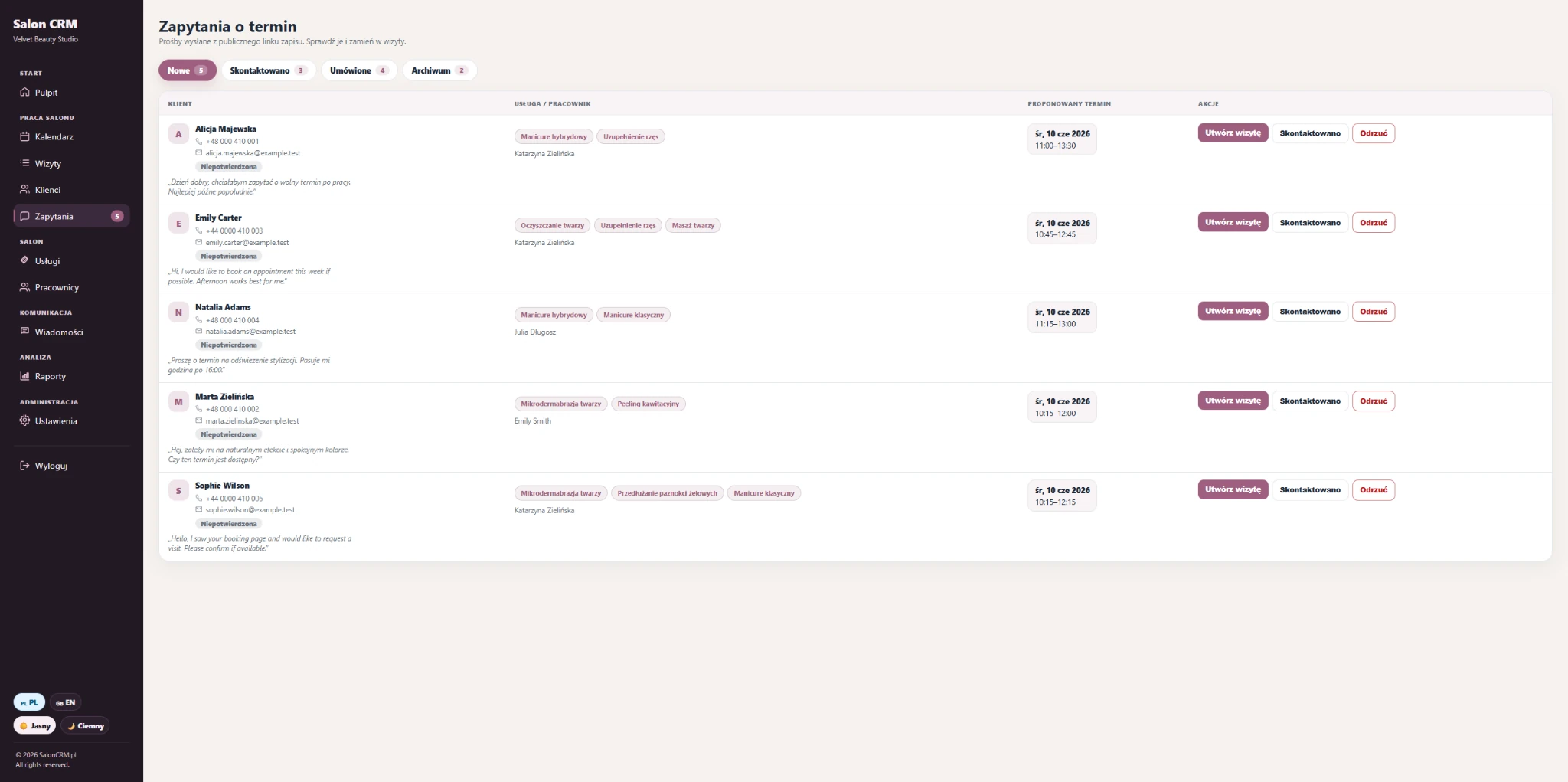
A client can send an appointment request through the salon’s public link. The salon still confirms the visit in the panel.
Service pricing, duration, staff, roles, schedules and organised work for the whole team.
Revenue, no-shows, returning clients, appointment sources and staff results without manual Excel calculations.
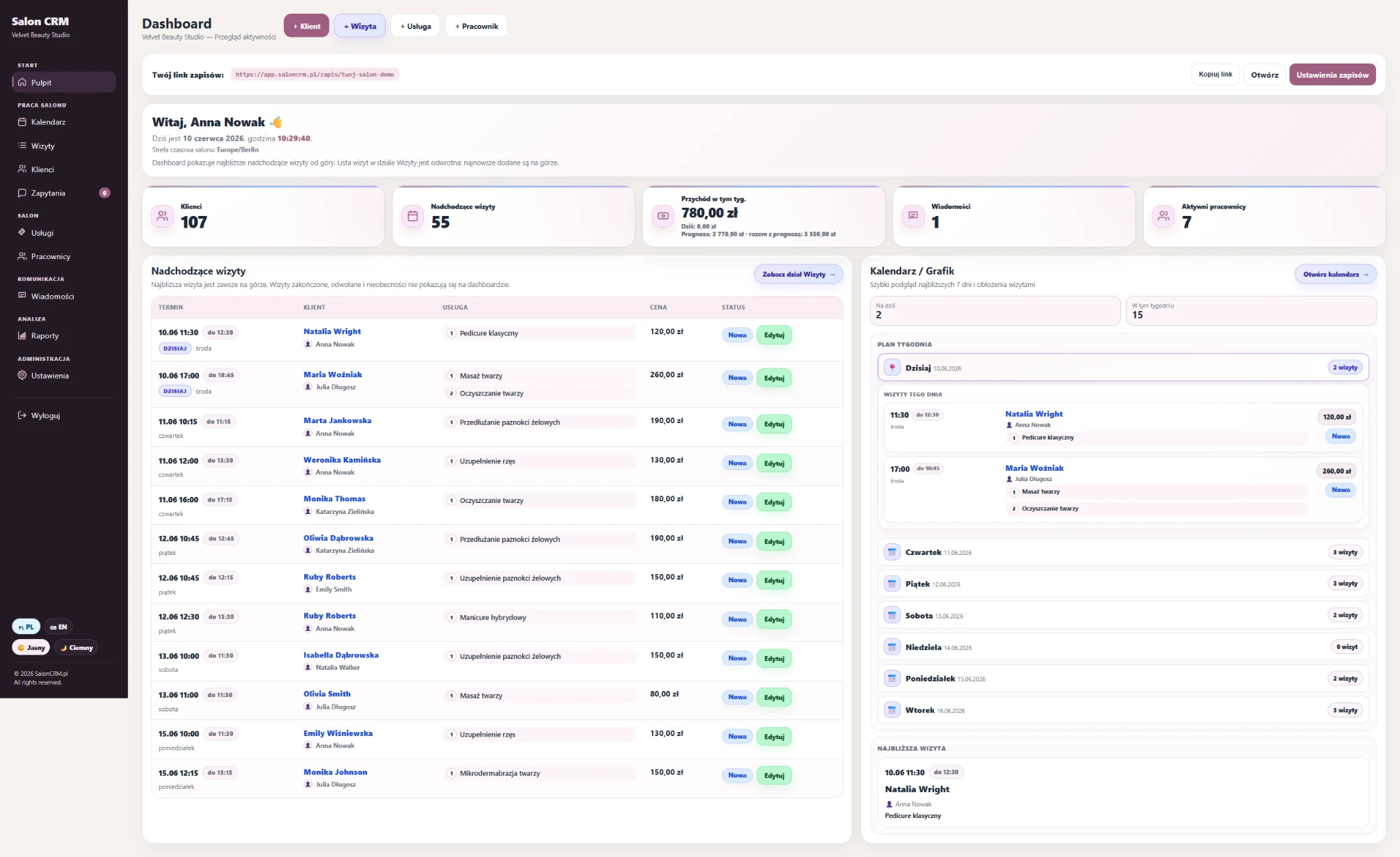
The most important features shown in larger blocks: calendar, client card, online booking, reminders and the owner dashboard.
The calendar helps you control the day and week: appointments, free slots, staff, statuses and services without jumping between several tools.
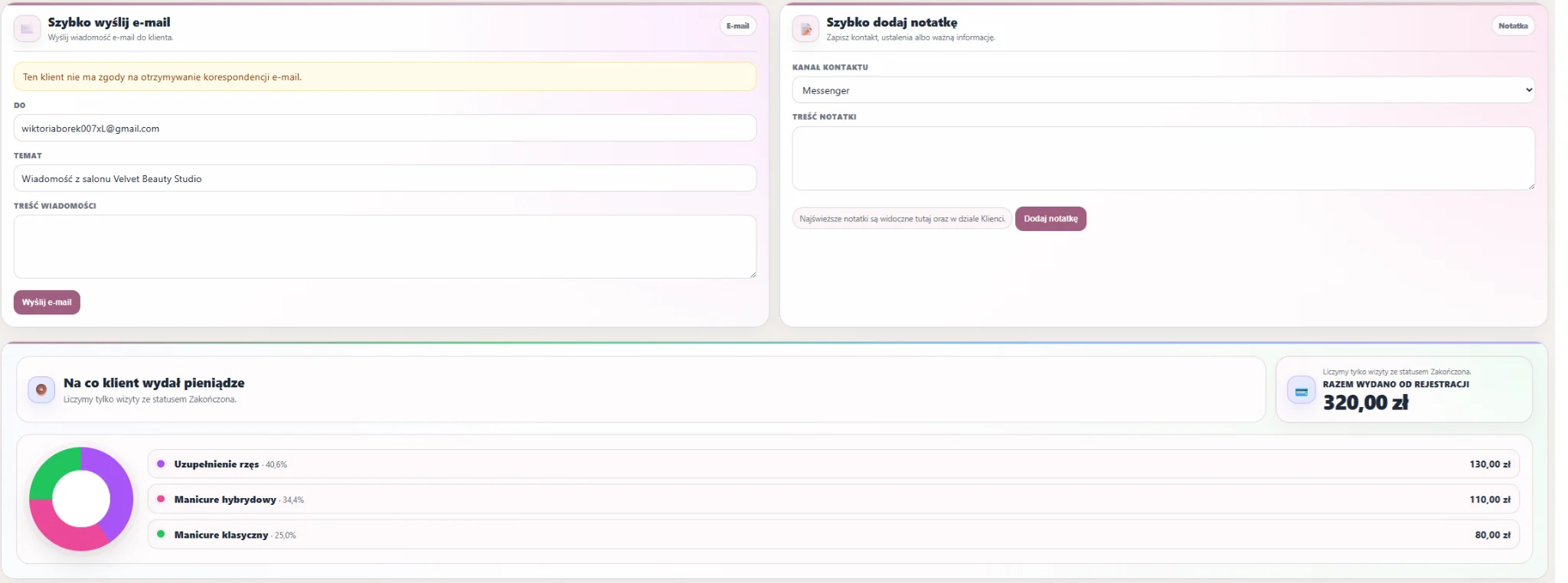
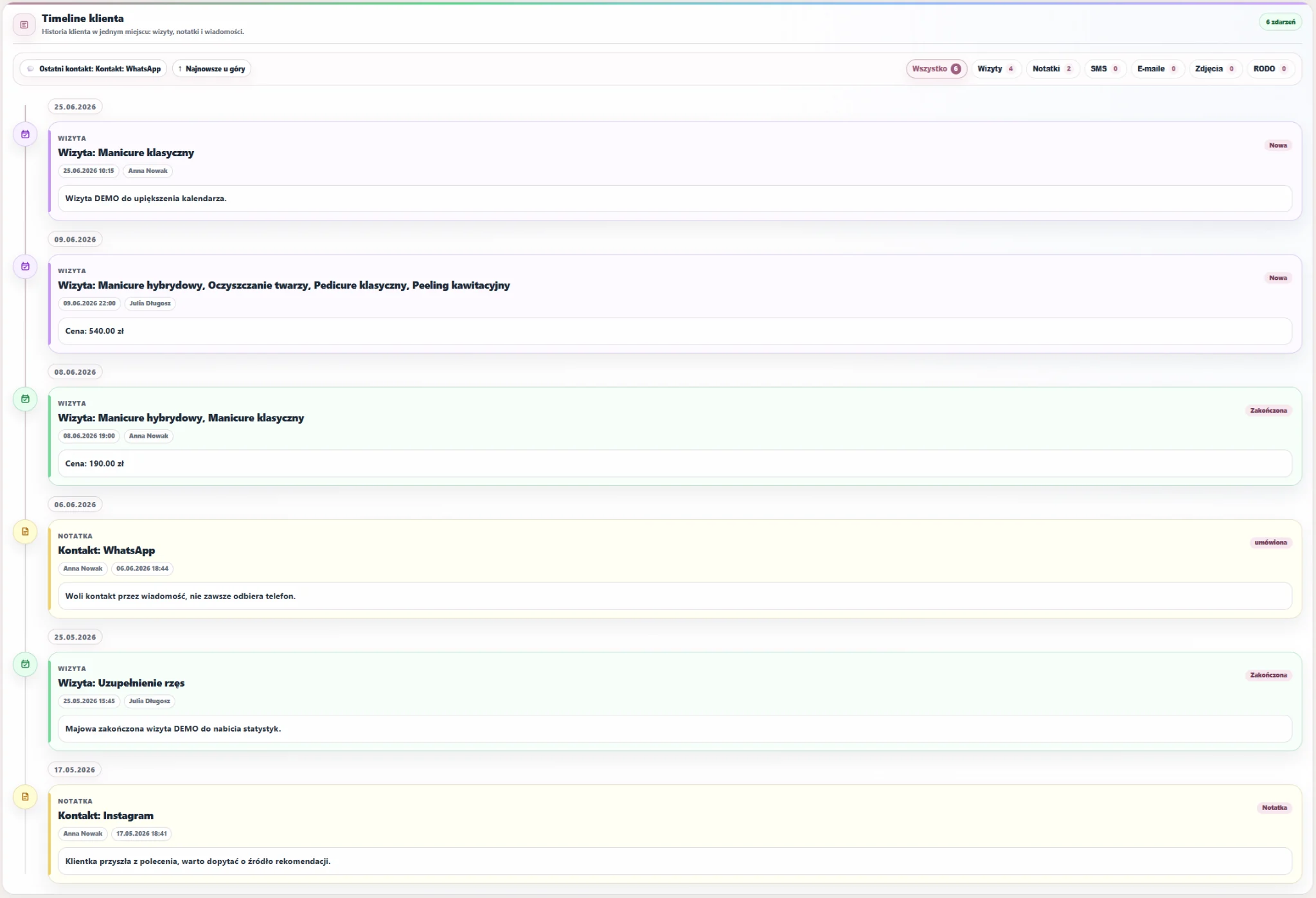
You do not have to remember everything. In the client card you have contact details, preferences, photos, notes, GDPR consents, recent visits, communication and the full service timeline.


You can add the booking link to your website, Instagram, Google Business Profile or send it via WhatsApp. The client chooses the service, day and time, and the request goes to the panel.
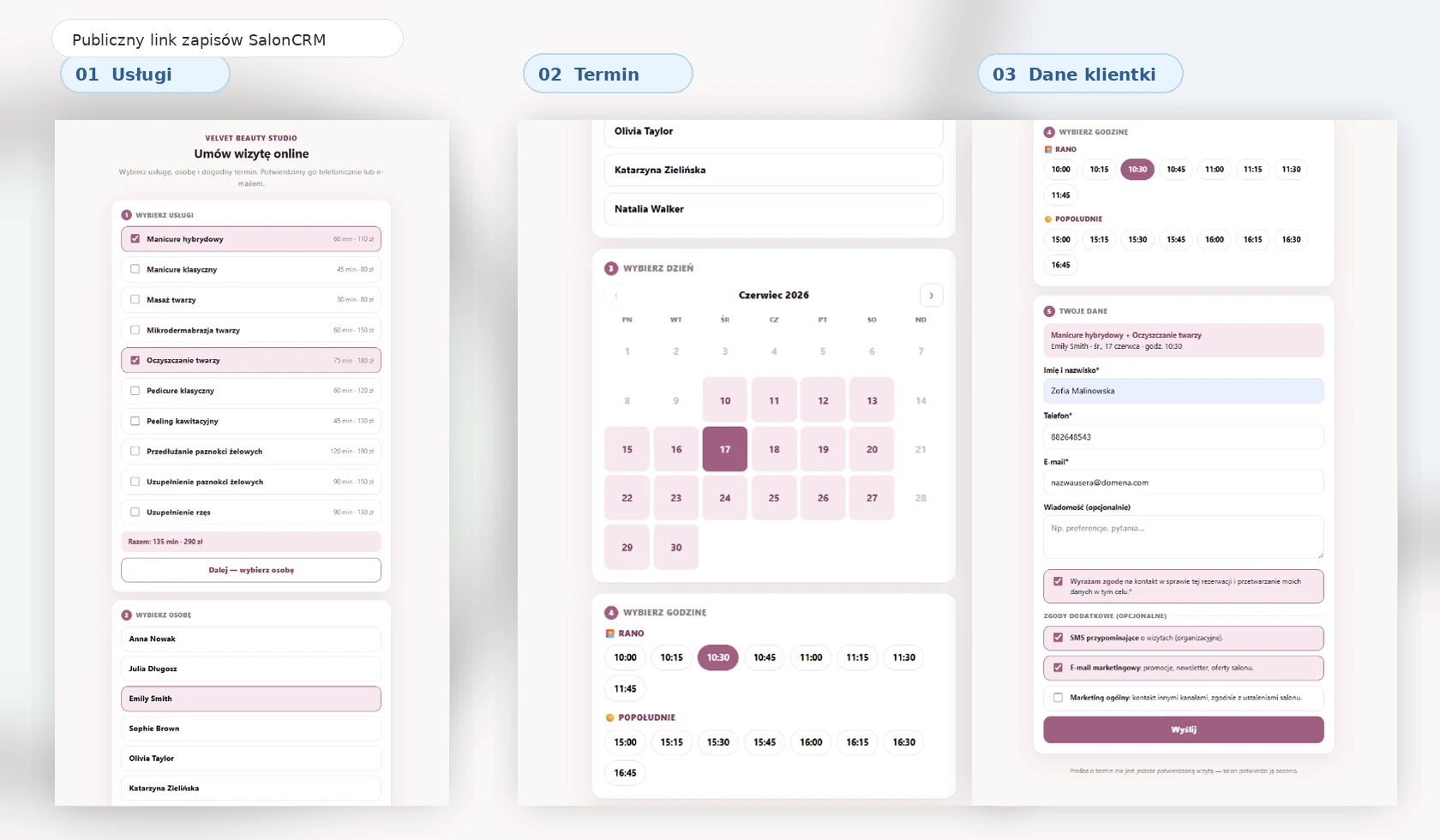
You share one permanent link on Instagram, WhatsApp, by SMS or in your profile bio. It is convenient for the salon because all requests arrive in one panel, and simple for the client because she always books through the same link.
The owner dashboard shows the most important information about the workday, appointments, clients, team and results without manually preparing reports.
The best beauty salon software does more than save appointments. It helps build your own client database, service history and service process that is not dependent on one external platform.
| Solution | Typowy problem | Co daje SalonCRM |
|---|---|---|
| Paper notebook | Data is easy to lose, and it is hard to check history or quickly find a client. | ✓ Calendar, clients, visit history and notes in one panel. |
| Excel | No automatic reminders, client cards, consents or comfortable team workflow. | ✓ Appointments, client card, SMS/e-mail, staff and reports. |
| Messenger / phone | Messages are scattered, and after a few weeks it is hard to reconstruct arrangements. | ✓ Requests, contact history and client information in one place. |
| Marketplace | You build visibility mainly on someone else’s platform, not in your own service system. | ✓ Your own panel, your own booking link and your own salon client database. |
SalonCRM works for a one-person studio, a small salon and a team of several staff members. The key point is that all data goes into one place.
Appointments, clients, services, treatment history, consents and reminders.
Client documentation, notes, photos, preferences and appointment control.
Returning clients, appointments, service history, photos and reminders.
Regular visits, notes, photos, return visits and client communication.
Staff schedule, services, clients, statuses and service history.
A simple panel without complicated implementation and without installing an app.
Roles, schedules, staff, services and activity control in one system.
A public appointment request link and less manual replying to clients.
First you organise the salon basics, then you work in one panel instead of several loose tools.
Enter your salon offer, service duration, prices and the people who perform treatments.
You see the day, week, appointment status, client and assigned staff member.
The system helps reduce forgotten appointments and empty slots in the schedule.
After the visit you have notes, photos, services, consents and information needed for the next service.
If a client forgets an appointment, you lose time, a slot in the schedule and real revenue. SalonCRM helps reduce these situations with an organised calendar, reminders and better communication.
The biggest gain appears when the owner and staff no longer have to search for appointments, arrangements and client history across several places every day. SalonCRM connects the schedule, client card, online requests and communication into one daily work panel.
Result: less administrative chaos and more time for client service and salon growth.
Short and specific — the key things a salon owner wants to know before checking the system.
Yes. SalonCRM combines an appointment calendar, client database, client card, services, staff, SMS/e-mail reminders, online booking, reports and GDPR-supporting features.
Yes. SalonCRM works in the browser on a phone, tablet and computer. You just log in to the panel — no separate app installation required.
Yes. Automatic SMS/e-mail reminders help reduce forgotten appointments and empty slots in the salon schedule.
Yes. The client card contains contact details, visit history, notes, photos, preferences, GDPR consents and communication.
Yes. The salon can share a public online booking link. The client chooses the service, staff member, day and time, and the request goes to the salon panel.
SalonCRM can be the salon’s own panel and a complement or alternative to a marketplace. The salon builds its own client database and handles bookings through its own link.
Yes. The system works for a one-person studio as well as a salon with several staff members.
Yes. You can request demo access and check SalonCRM on a realistic salon work example.
Try SalonCRM and see what everyday salon work can look like without a notebook, message chaos and manually watching every appointment.