Salon CRM software — client card, visit history and notes
SalonCRM organises client service in a beauty salon: contact details, visit history, preferences, notes, GDPR consents, photos and SMS/e-mail communication stay in one browser-based panel.
Works on phone, tablet and computer. Every platform, every device — just log in through your browser. No app to install.
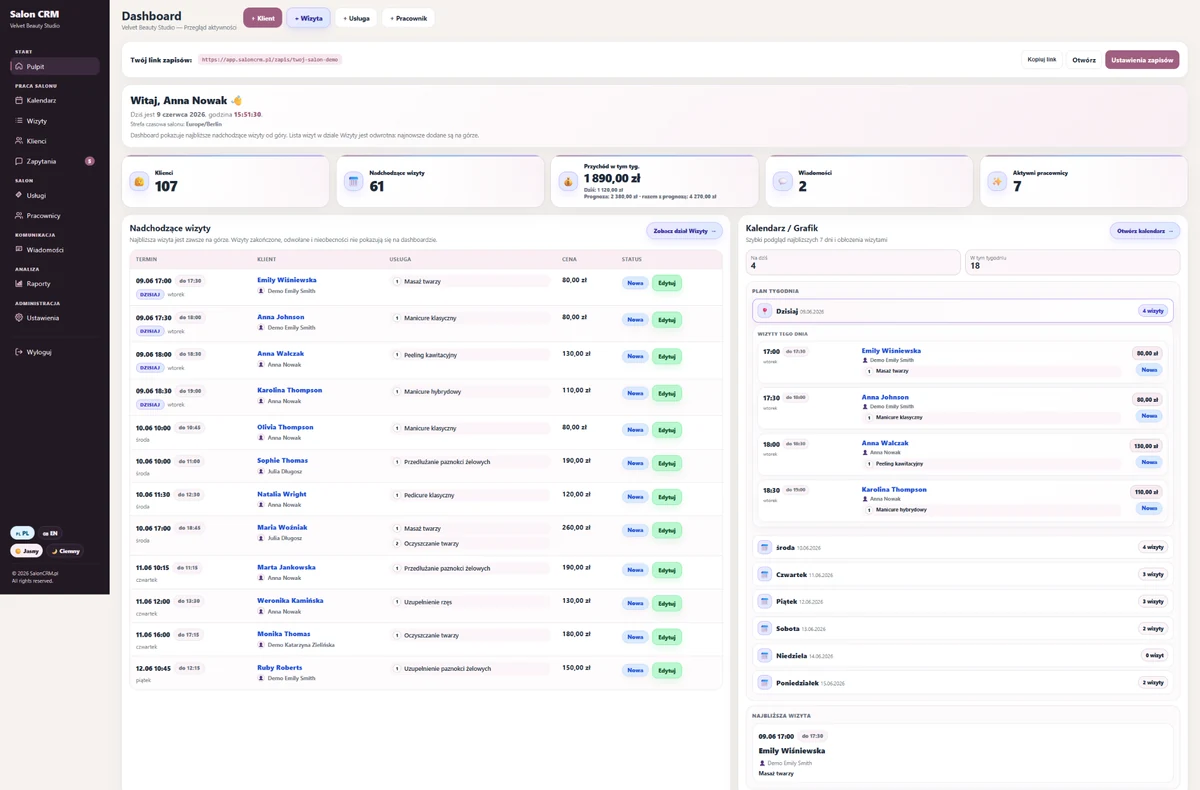
The most important client information stays in one place
Instead of a full system gallery, this page focuses on screens that matter for client management: the database, client card, visit history, contact timeline and GDPR consents.
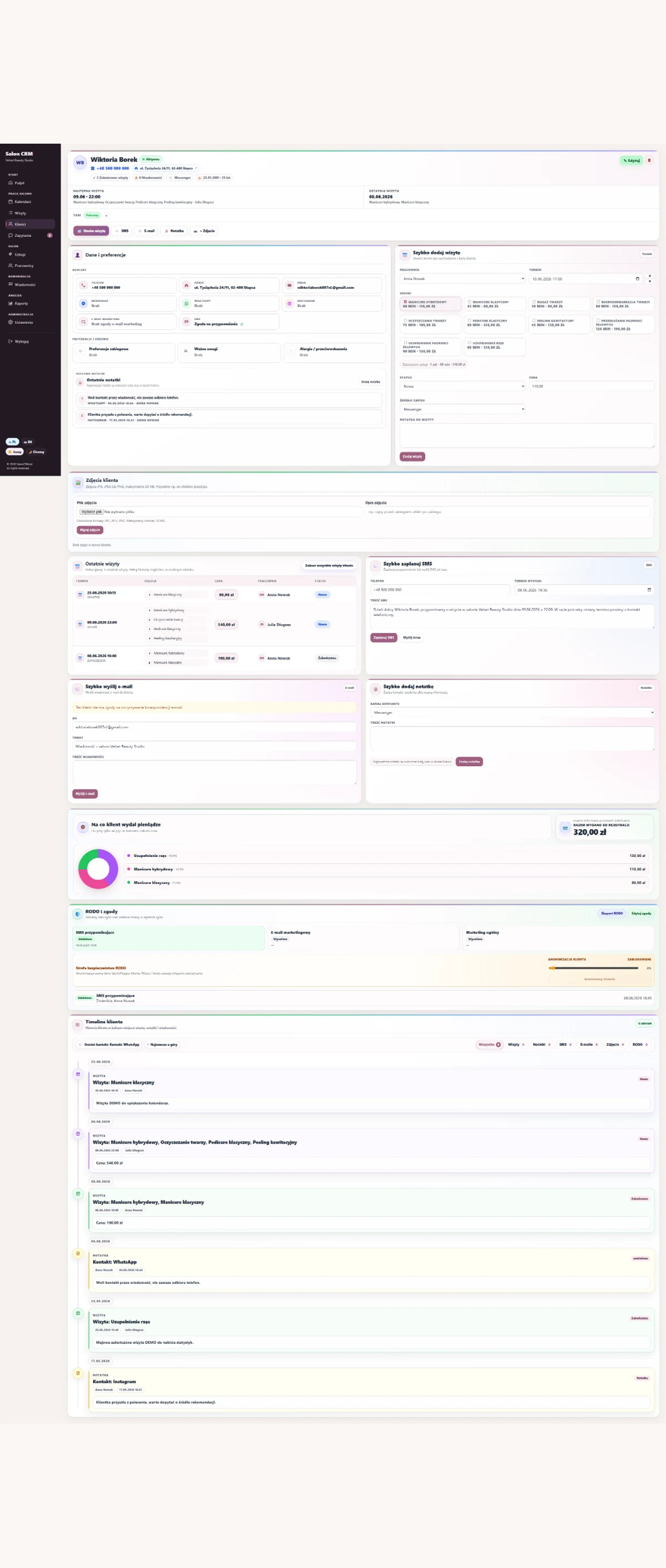
Client card before the next service
You see contact details, preferences, service history, photos, notes, GDPR consents and spend. Staff do not need to ask again about things the salon already knows.
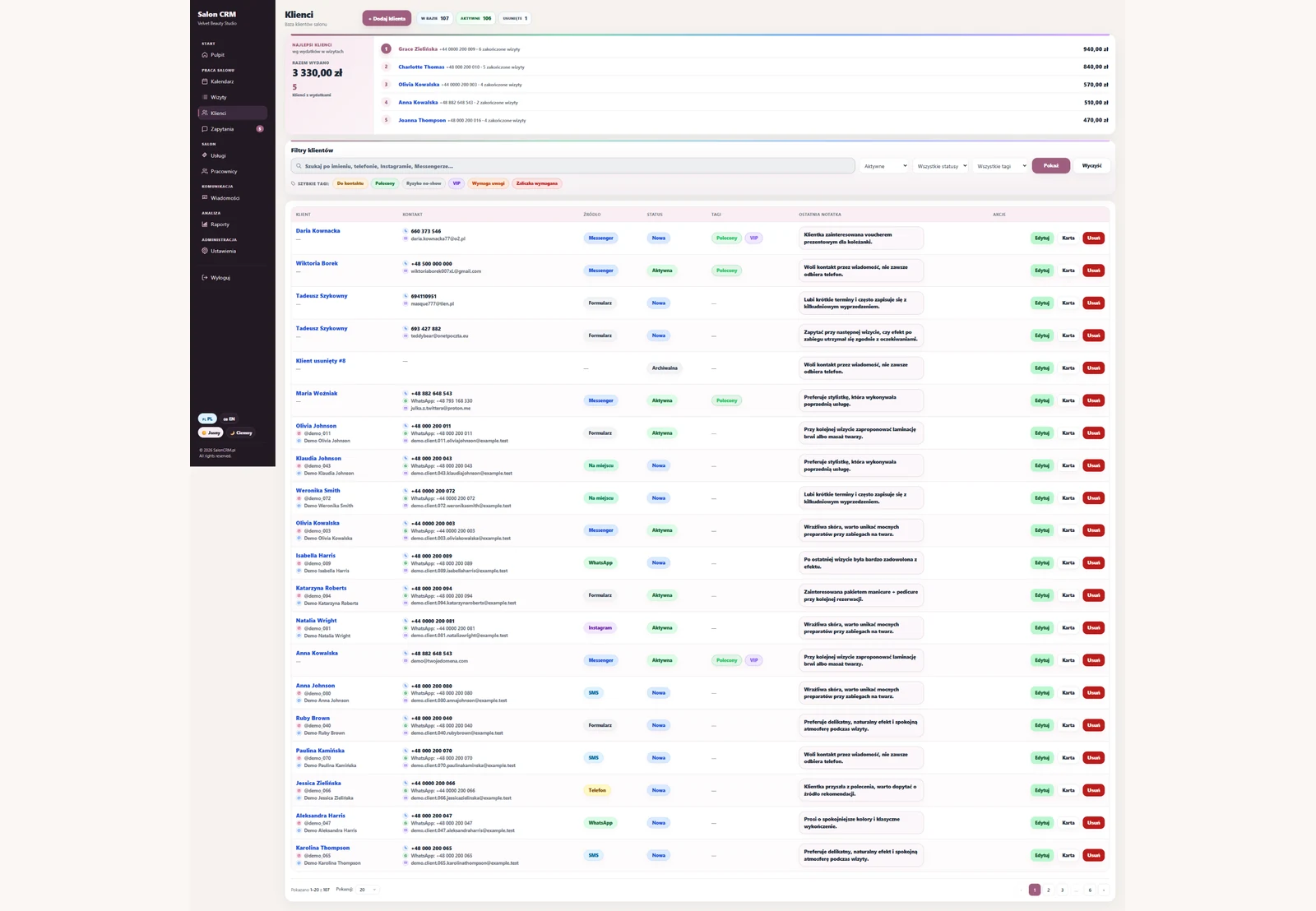
Client database
Fast search, relationship status, contact source and clean client records.
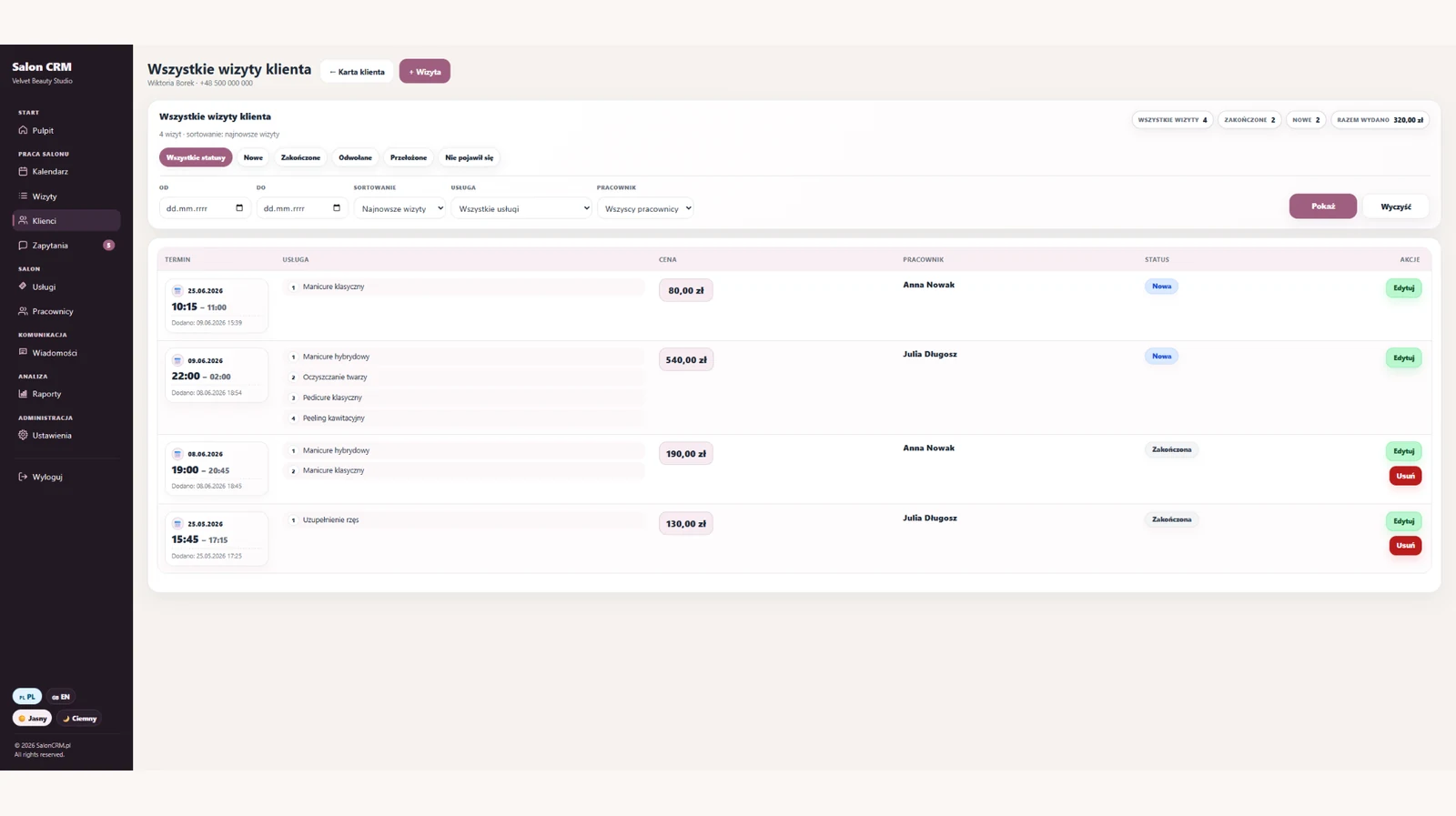
Visit history
Dates, services, prices, statuses and staff linked to one client record.
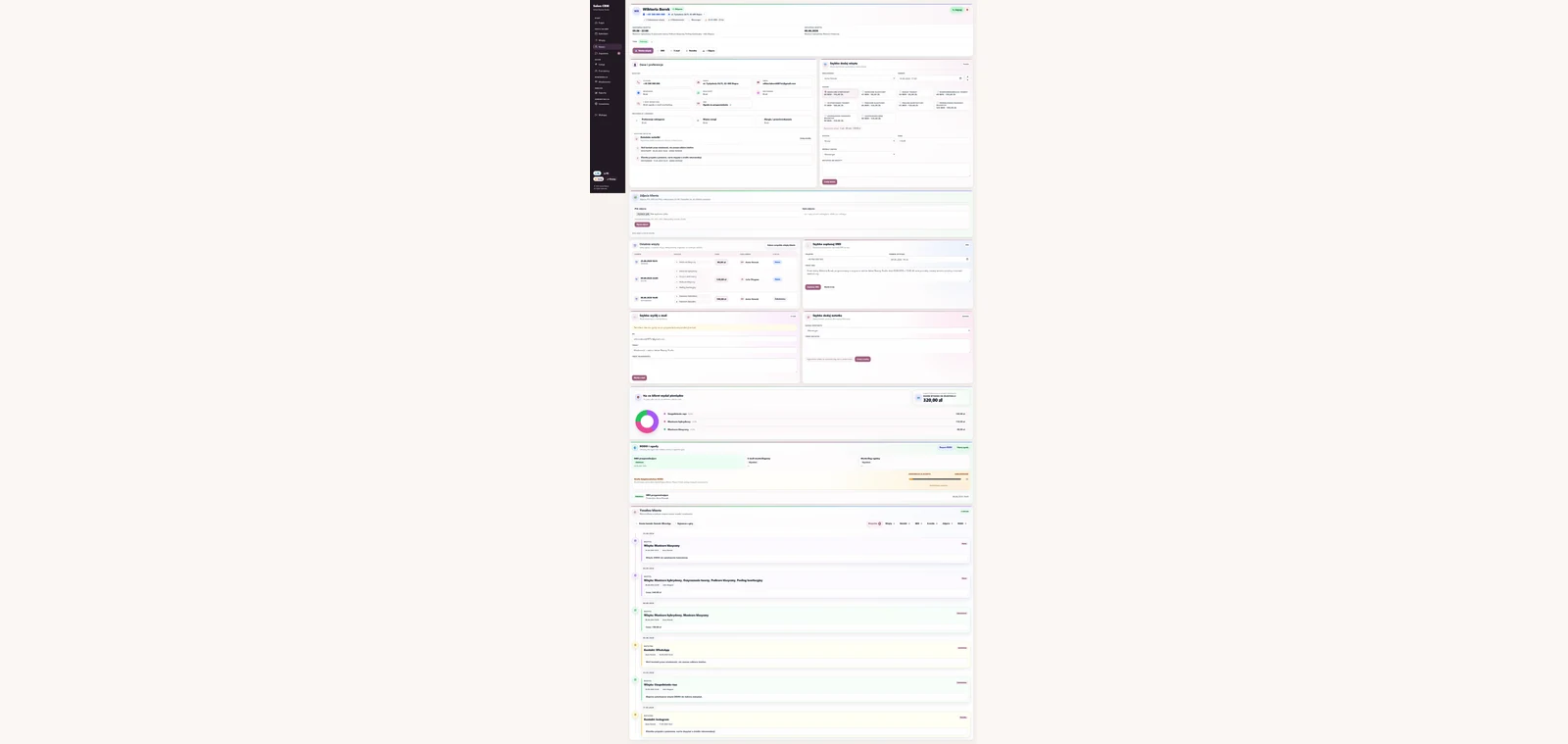
Contact timeline
Visits, notes, SMS and e-mails arranged chronologically next to the client.

GDPR consents
Client consents, data export, change log and anonymisation in one place.
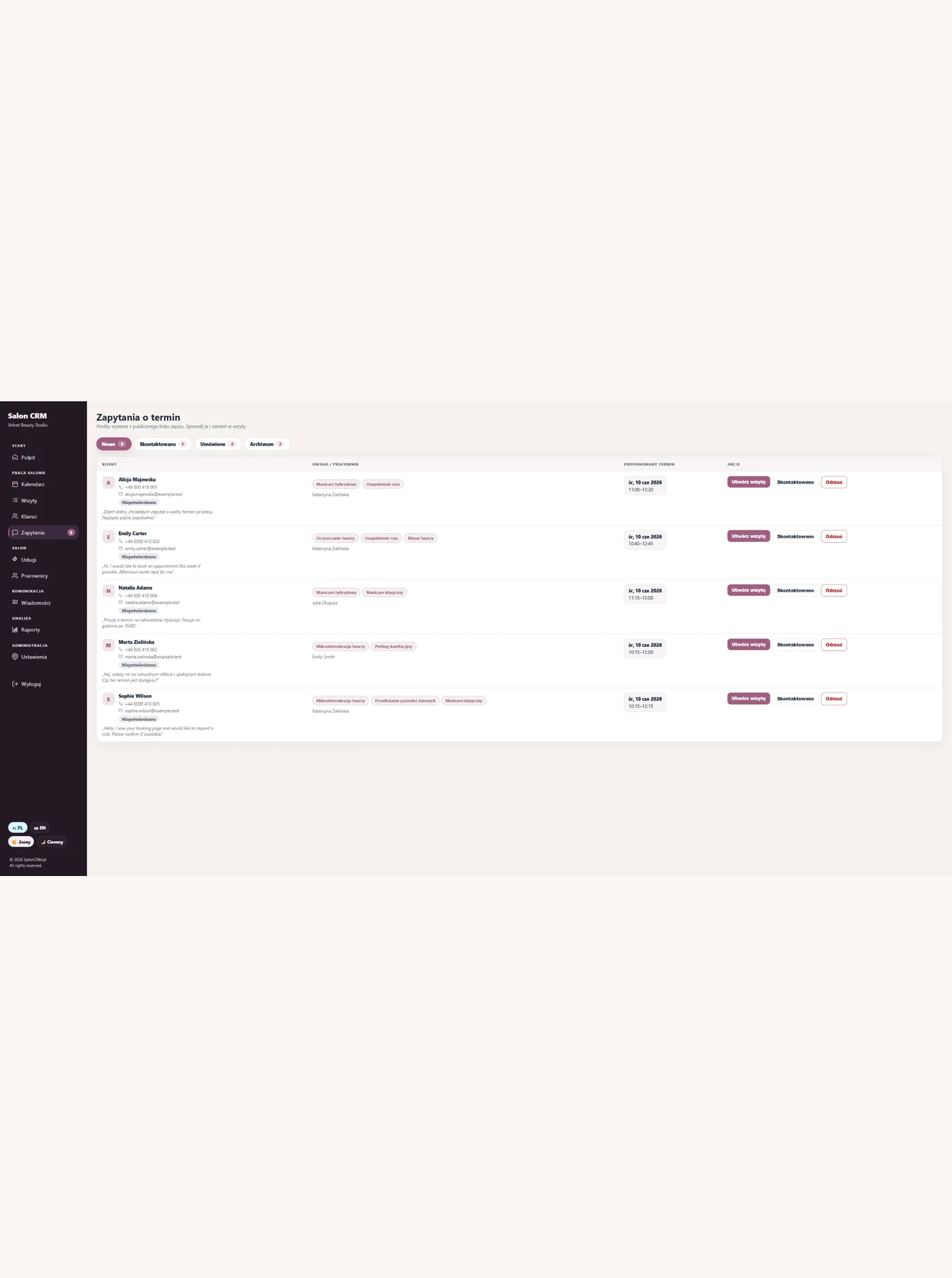
SMS and e-mail
Appointment reminders and message history attached to client service.
Screens are limited to client-management views so the page stays focused on salon CRM work.
One client database instead of separate spreadsheets and notes
Each client has one record with visit history, details, consents and activity. Search no longer requires checking several files or remembering where the latest information was saved.
One client record
Contact details, acquisition source, relationship status and preferences stay in one place.
Activity history
Appointments, services, prices and staff create a readable history of the salon relationship.
Visit frequency
Previous service dates help show who returns regularly and who has stopped visiting.
Complete records
Notes, photos and important details stay with the right person even when staff changes.
Consents and data control
GDPR consents, exports and anonymisation are connected to a specific client record.
Clients due for contact
History makes longer gaps easier to notice and helps plan an appropriate follow-up.
Activity history and appointment frequency
A well-managed database shows more than contact details. It reveals performed services, gaps between visits and information useful for keeping clients over time.
Duplicate and incomplete records
Data in spreadsheets and phones quickly diverges when several people use it.
No activity history
A contact list alone does not show when a client last visited or which services they used.
Inactive clients stay hidden
Without organised dates, it is difficult to notice people who used to return but have stopped.
Data without control
Consents, exports and anonymisation require information to be assigned to one clear client record.
How to choose salon CRM software
Good CRM software organises the whole client database rather than storing phone numbers only. It should connect each record with visits, activity, consents and performed services.
SalonCRM keeps this information under one standard, helping the owner understand client relationships and preserve history when staff changes.
Features for managing client data
- Fast search in one client database
- Activity history and appointment frequency
- Relationship status, contact source and data completeness
- GDPR consents, data export and anonymisation
- Information that supports client retention
How to start using SalonCRM
Start with the basics: services, staff, clients and your nearest visits. Reminders, documentation and full client history come next.
Add services and staff
Set your core services, prices, durations and the people who perform them.
Move in your next visits
Enter the appointments for the coming days first, so the calendar feels organised fast.
Fill in client cards
Add notes, history, photos, consents and preferences as clients come back.
Frequently asked questions
Is SalonCRM a salon CRM?+
What's on the client card?+
Does it help clients return?+
Is it GDPR-friendly?+
Does each visit link to the client?+
Related SalonCRM solutions
These pages help match SalonCRM to a specific problem or type of salon.
Want to try SalonCRM in your salon?
14 days free. Full access to the system on a real example: visits, clients, staff, services, reminders and client history.