Client management software for beauty salons
SalonCRM organises client service in a beauty salon: contact details, visit history, preferences, notes, GDPR consents, photos and SMS/e-mail communication stay in one browser-based panel.
Works on phone, tablet and computer. Every platform, every device — just log in through your browser. No app to install.
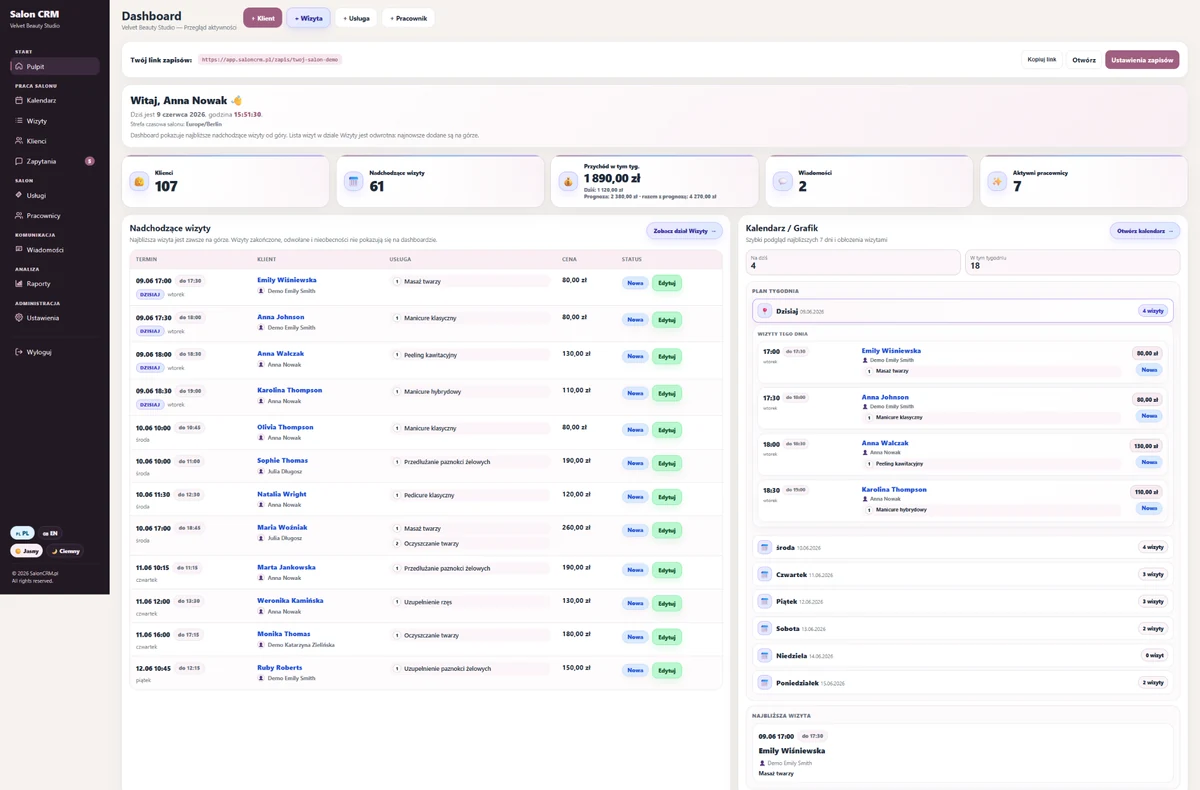
The most important client information is in one place
Instead of a generic product gallery, this page focuses on views that matter for client service: client card, client list, visit history, contact timeline, messages and GDPR consents.
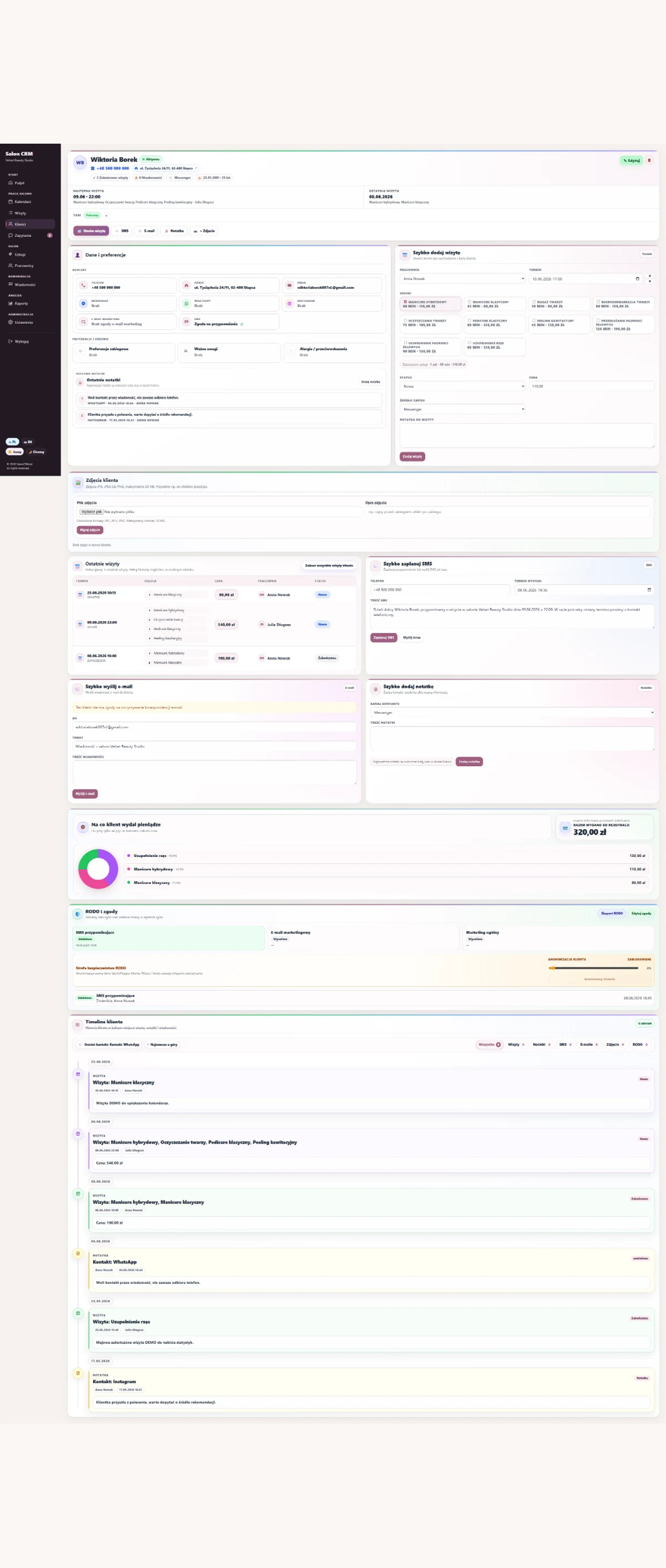
Client card before the next service
You see contact details, preferences, service history, photos, notes, GDPR consents and spend. Staff do not need to ask again about things the salon already knows.
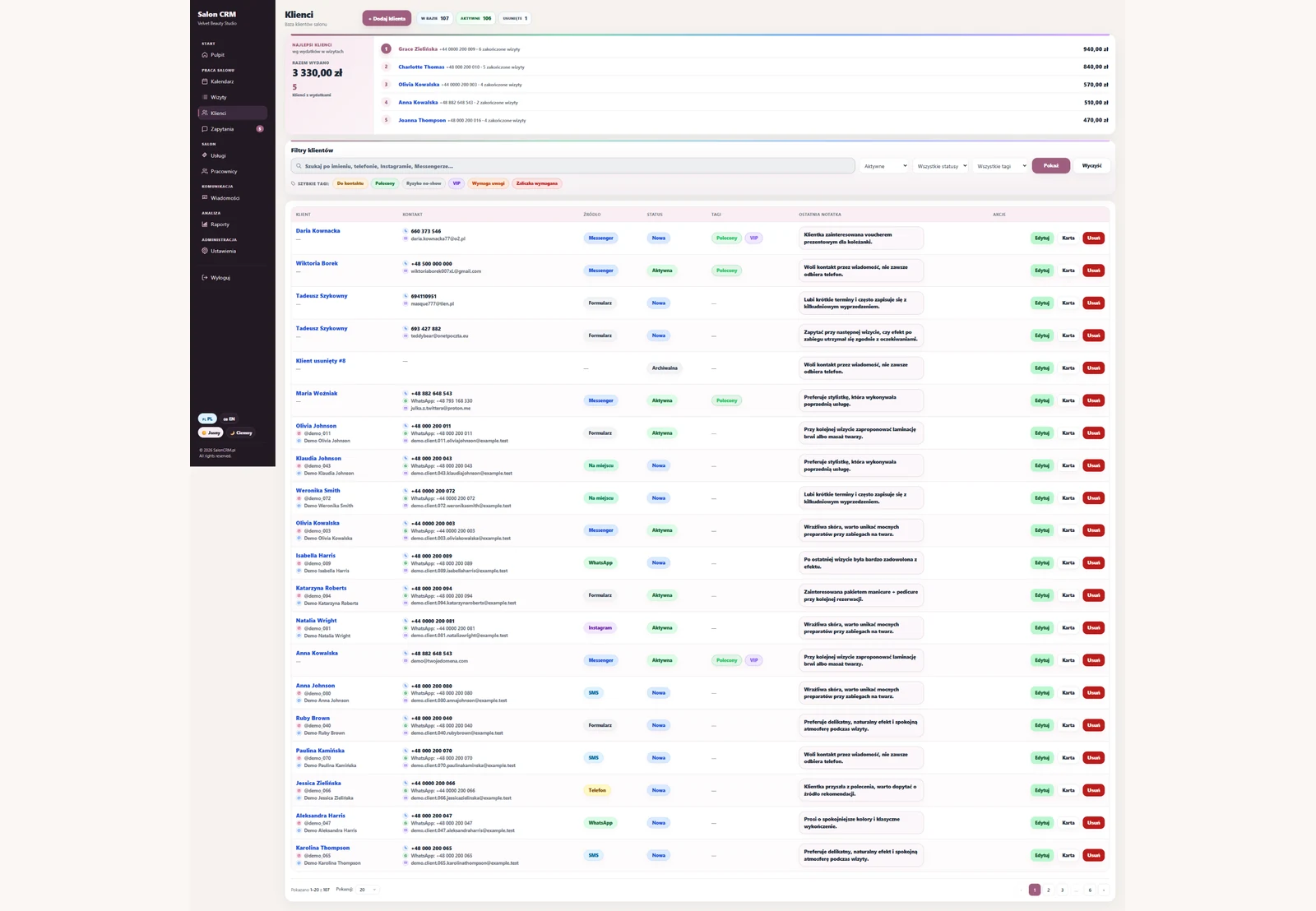
Client database
Fast search, relationship status, contact source and clean client records.
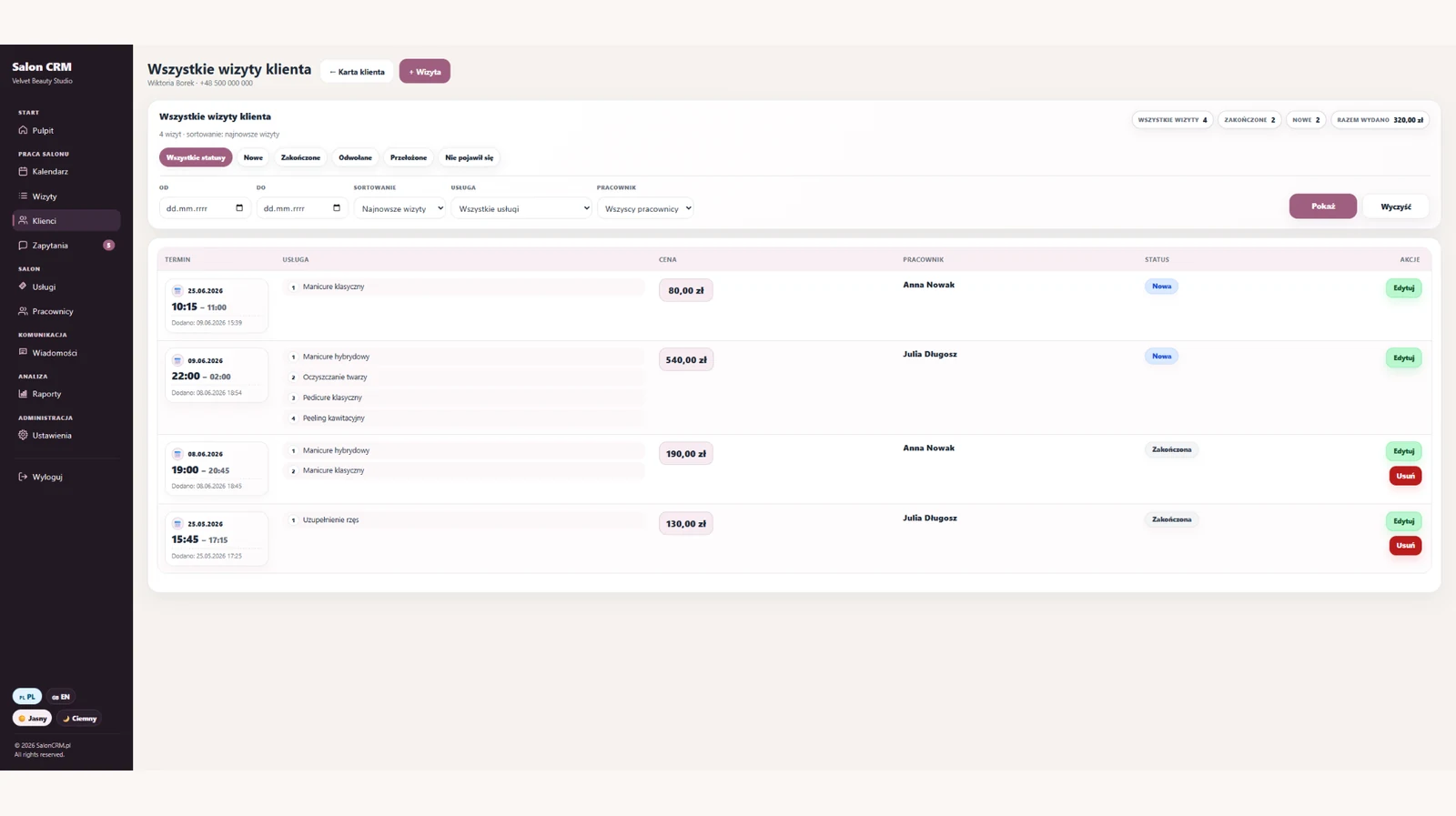
Visit history
Dates, services, prices, statuses and staff linked to one client record.
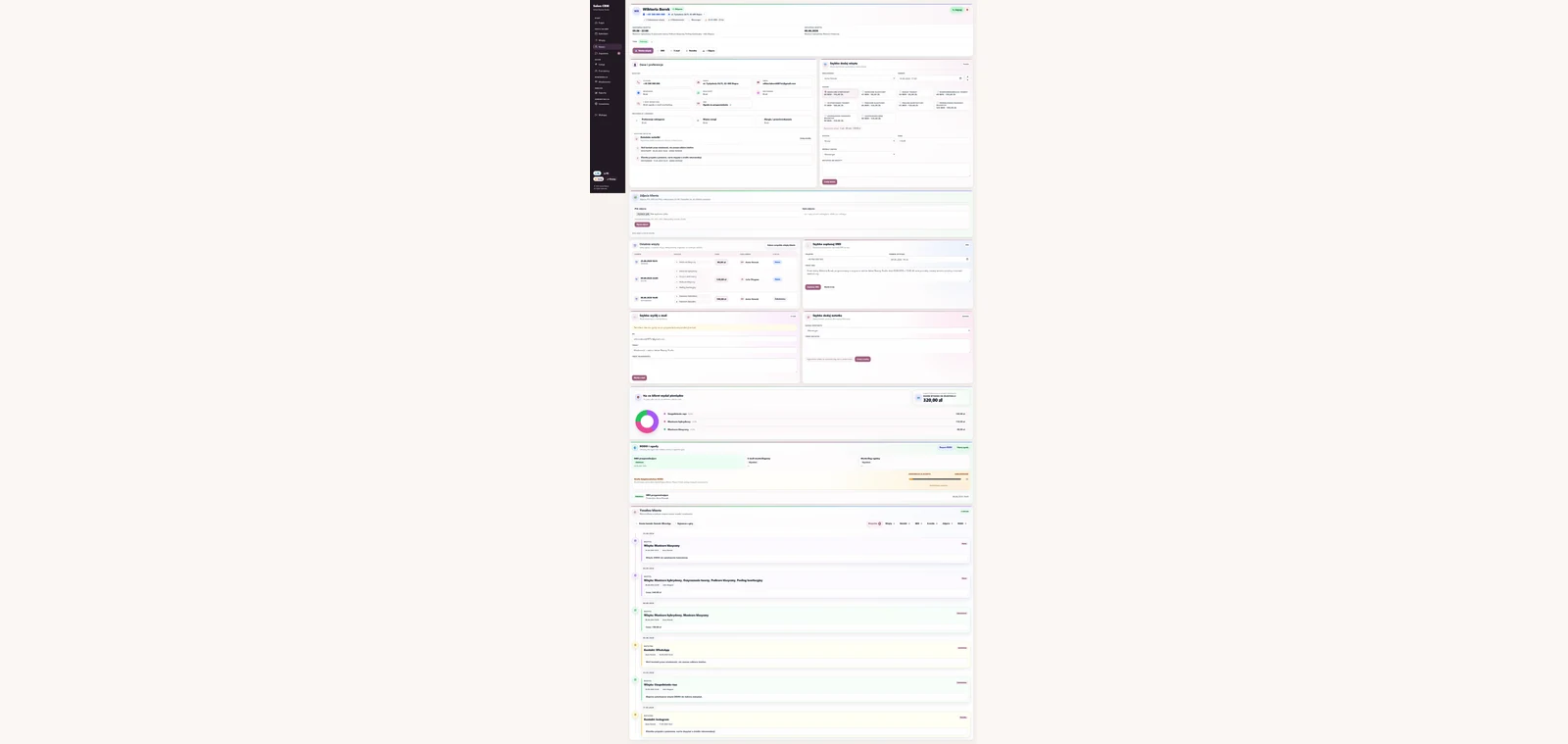
Contact timeline
Visits, notes, SMS and e-mails arranged chronologically next to the client.

GDPR consents
Client consents, data export, change log and anonymisation in one place.
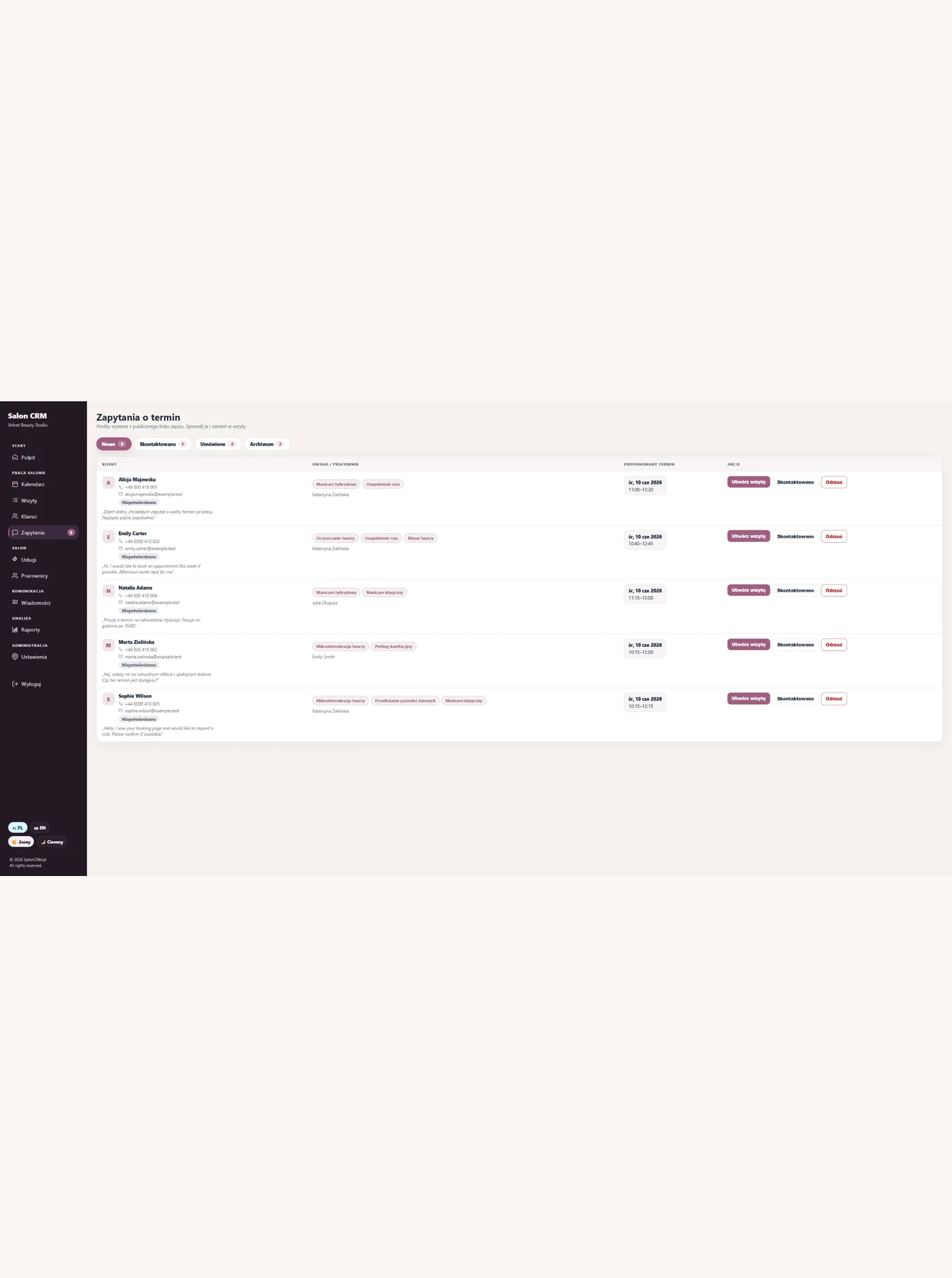
SMS and e-mail
Appointment reminders and message history attached to client service.
Click a screenshot to enlarge it. The gallery focuses on client-service views instead of showing every module of the system.
Full client context before the appointment begins
Staff can immediately see previous arrangements, contact history and information needed for smooth service, without searching through phones, paper notes and separate messages.
Appointment preparation
Service history, preferences, notes and photos are available before the client sits down.
Schedule changes
The calendar, appointment status and contact details make it easier to confirm or move a visit.
Post-service notes
Staff save recommendations, important remarks and details needed at the next appointment.
Message history
SMS, e-mails and reminders stay attached to the right client and appointment.
Consents at hand
Staff can check relevant consents during service without searching through paper records.
Follow-up after a visit
Complete context makes recommendations, refill invitations and continued service easier.
Smoother bookings, schedule changes and reminders
Good client service starts before an appointment and continues afterwards. SalonCRM helps staff answer clients, keep arrangements visible and maintain continuity of contact.
Arrangements across channels
Phone calls, Instagram and messages make it hard to reconstruct the complete client conversation.
Schedule changes without context
Reception loses time when service, staff member and previous arrangements must be found separately.
Manual reminders
Disorganised communication increases the risk of a missed message and an empty slot.
Missing follow-up details
Recommendations and notes should remain with the client so another staff member can continue the service.
How to choose client service software
Everyday client service needs quick access to the next appointment, previous arrangements, notes and message history.
SalonCRM connects this context with the calendar and client card, helping reception and staff confirm visits, answer questions and continue contact after the service.
Features for everyday client service
- Client context before an appointment begins
- History of messages, notes and arrangements
- Booking and schedule-change handling
- SMS and e-mail appointment reminders
- Post-service notes and recommendations
How SalonCRM supports client service from booking to the next visit
The system keeps the client process together: booking, appointment, documentation, communication and preparation for the next service.
The client books or the salon adds a visit
The appointment lands in the calendar with the service, staff member and basic client details.
Staff sees the client card
Before the visit, they check history, notes, photos, preferences and previous arrangements.
After the visit, context stays in the system
Notes, communication, consents and follow-up information remain on the client card.
Frequently asked questions
Is SalonCRM a salon CRM?+
What's on the client card?+
Does it help clients return?+
Is it GDPR-friendly?+
Does each visit link to the client?+
Related SalonCRM solutions
These pages help match SalonCRM to a specific problem or type of salon.
Want to try SalonCRM in your salon?
14 days free. Full access to the system on a real example: visits, clients, staff, services, reminders and client history.