Messages get lost
A client writes on Messenger, Instagram or SMS, and the appointment is hard to find later.
Instead of notebooks, spreadsheets and messages scattered across Messenger — one panel for schedules, client cards, services, staff, booking requests and SMS/e-mail reminders.

This is an example link. In a real salon, every business gets its own unique booking URL with its offer, staff and available times.
SalonCRM organises daily work before appointments, notes and messages start disappearing between conversations.
A client writes on Messenger, Instagram or SMS, and the appointment is hard to find later.
Notes, photos, consents and previous visits should live in one client card.
Each worker should see their own visits, availability and important details without asking the owner.
SMS/e-mail reminders help reduce missed appointments and forgotten bookings.
Not a wall of modules — just the practical tools owners and staff use every day in the salon.
Day and week calendar, visit statuses, staff, services, prices and a quick view of available slots.
Client card, notes, photos, GDPR consents, visit history and key details before the next service.
One permanent salon link can be sent in Messenger, WhatsApp or SMS, added to Instagram bio or placed on the website — clients choose a time whenever it suits them.
Confirmations, pre-visit reminders, manual messages and automations that help reduce no-shows.
Owner account, employee account, 2FA, activity logs and limits so staff cannot delete critical data.
Revenue, no-shows, returning clients, sources, staff, services and daily trends in one panel.
Less scrolling, more clarity: dashboard, staff view, client card and public booking link without a wall of screenshots.
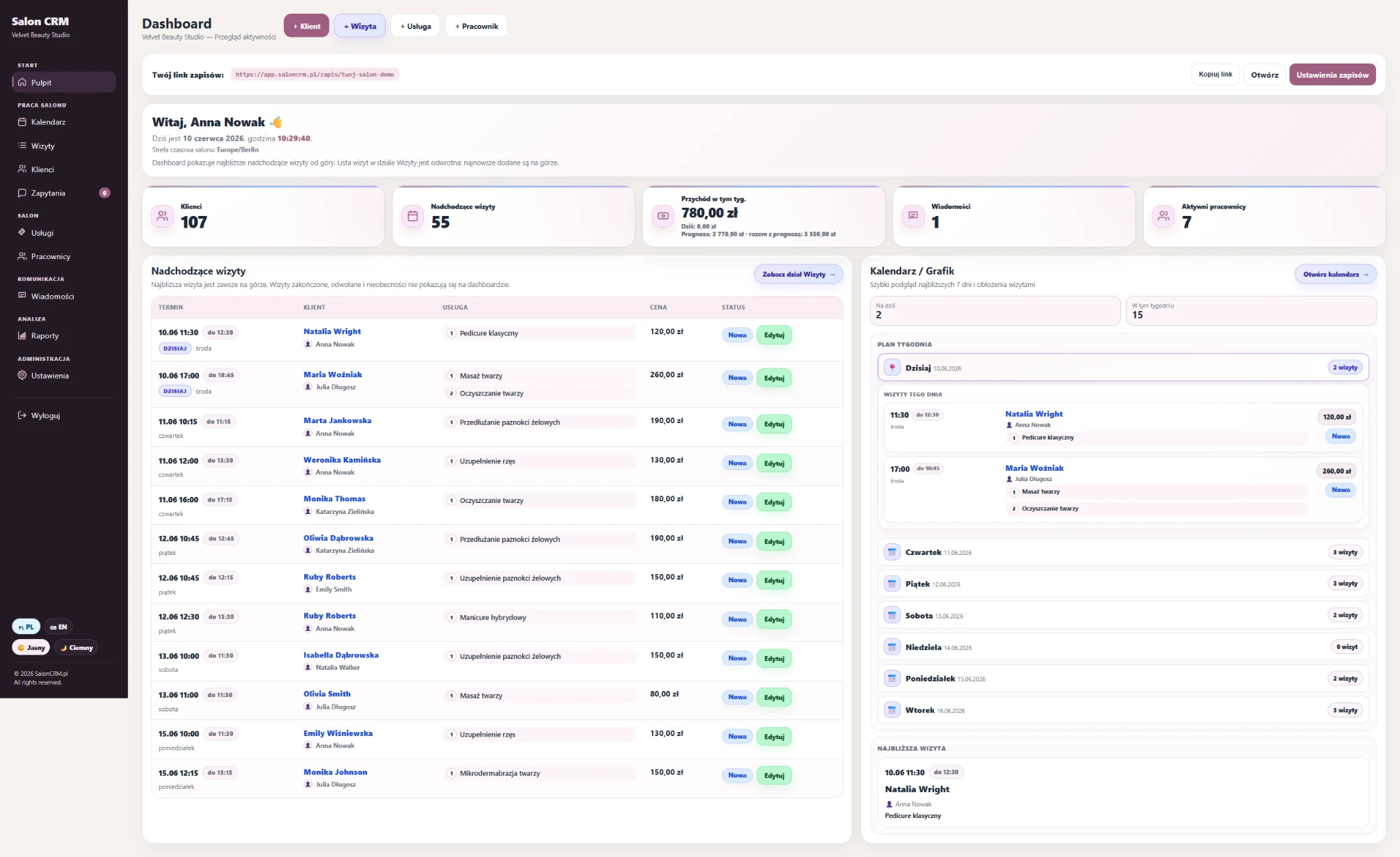
The owner gets a full salon overview: appointments, revenue, staff, messages and settings. The owner account includes everything an employee sees, plus administration and data control.
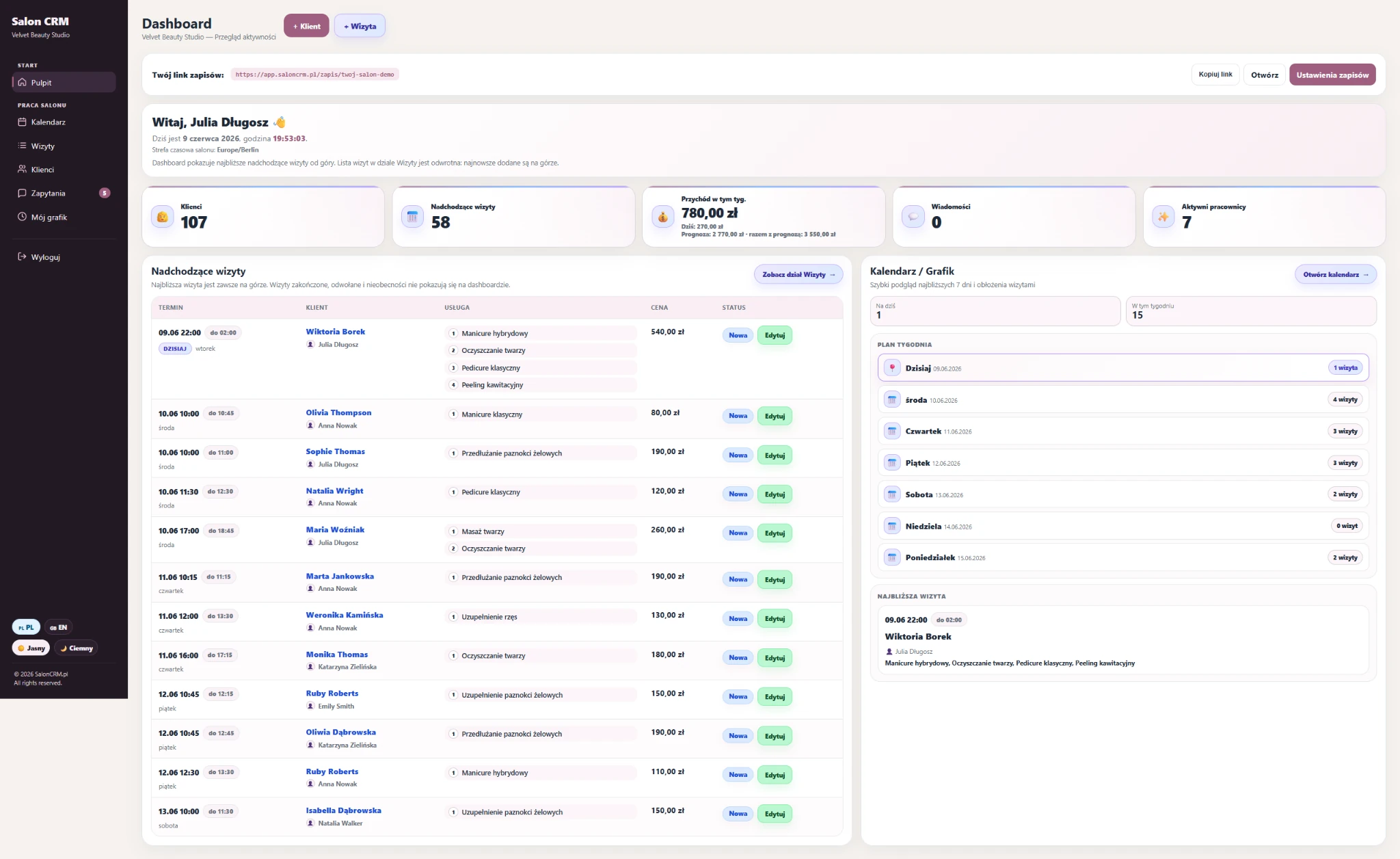
A staff member works with their own schedule and visits, but has no access to critical settings or record deletion. This prevents accidental changes in the salon database.
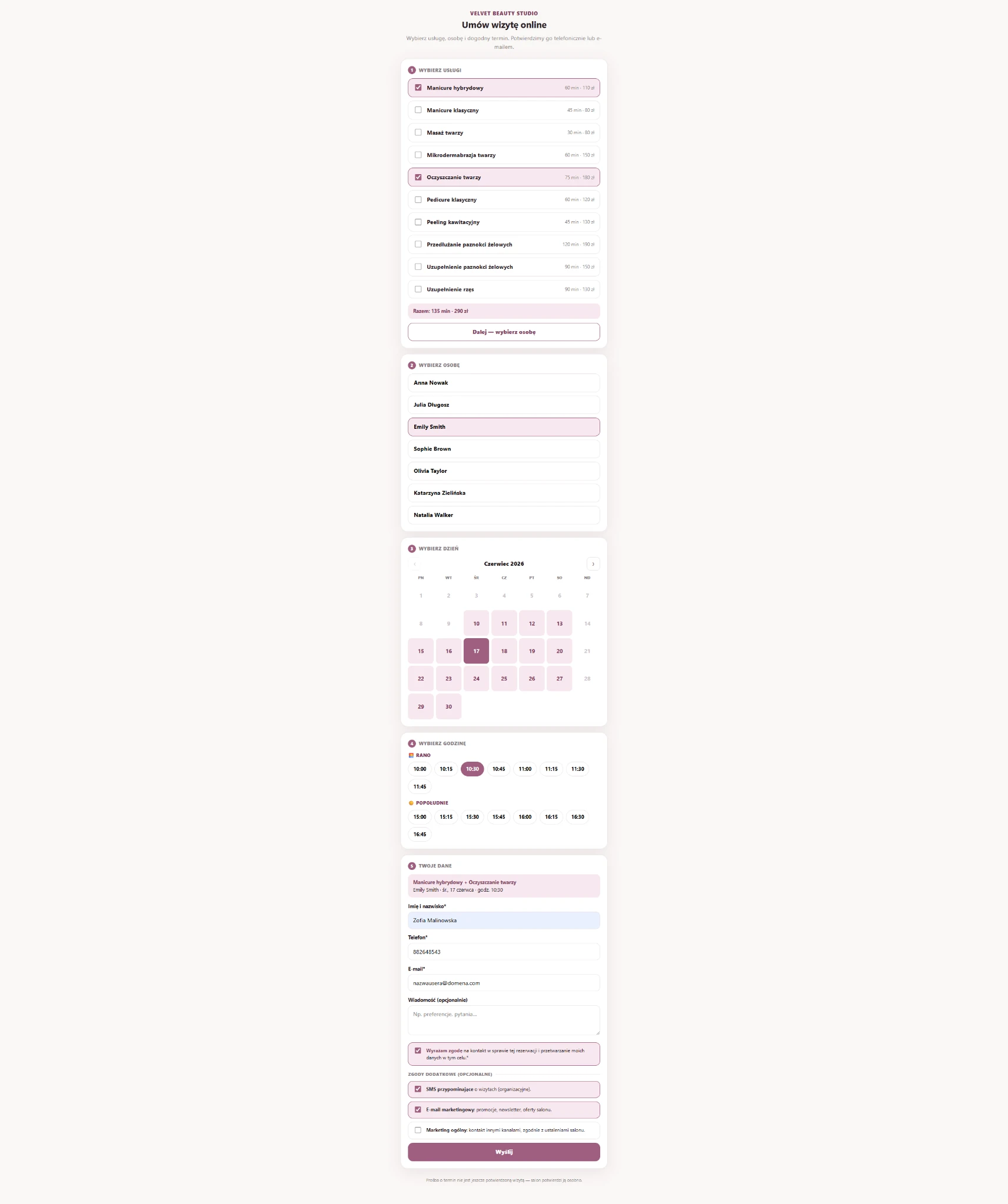
A client can book in person at the salon or through one permanent, unchanged link. You can send the same URL in Messenger, WhatsApp or SMS, place it in Instagram bio, add it to the website or Google profile — the client returns there and chooses a time herself.
The gallery below includes all unique screenshots delivered for the landing page. Tall vertical screens have been split into readable focused sections so visitors can actually see the important details.
This gallery includes all key views used on the landing page: dashboards, calendar, visit list and the full online booking flow. Very tall screenshots are split into focused sections for readability.
Full salon overview: upcoming appointments, weekly plan, revenue and quick access to settings.
A simplified view for staff members performing appointments — without access to critical owner settings.
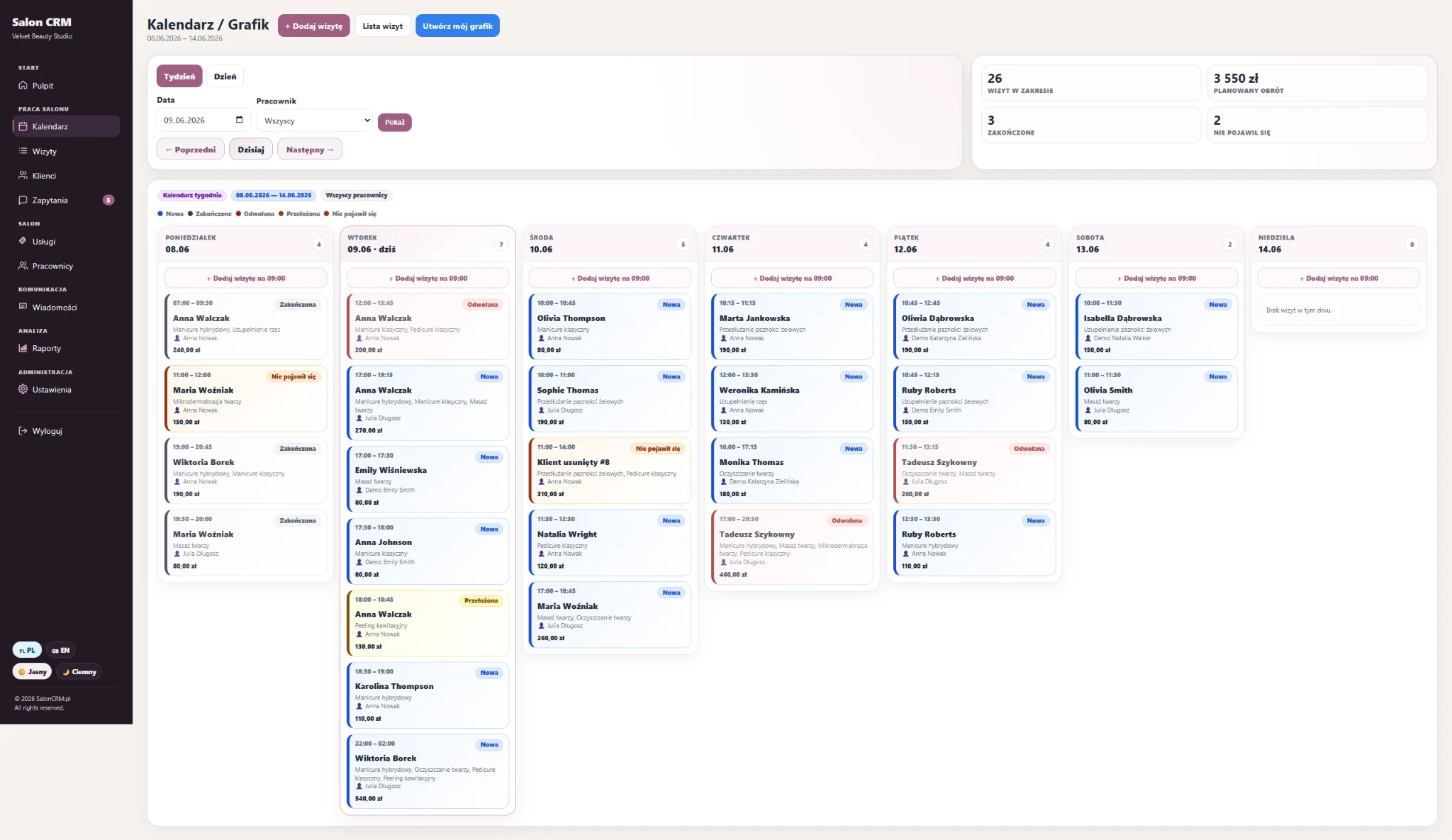
Weekly schedule with appointments, statuses, staff members and planned revenue.
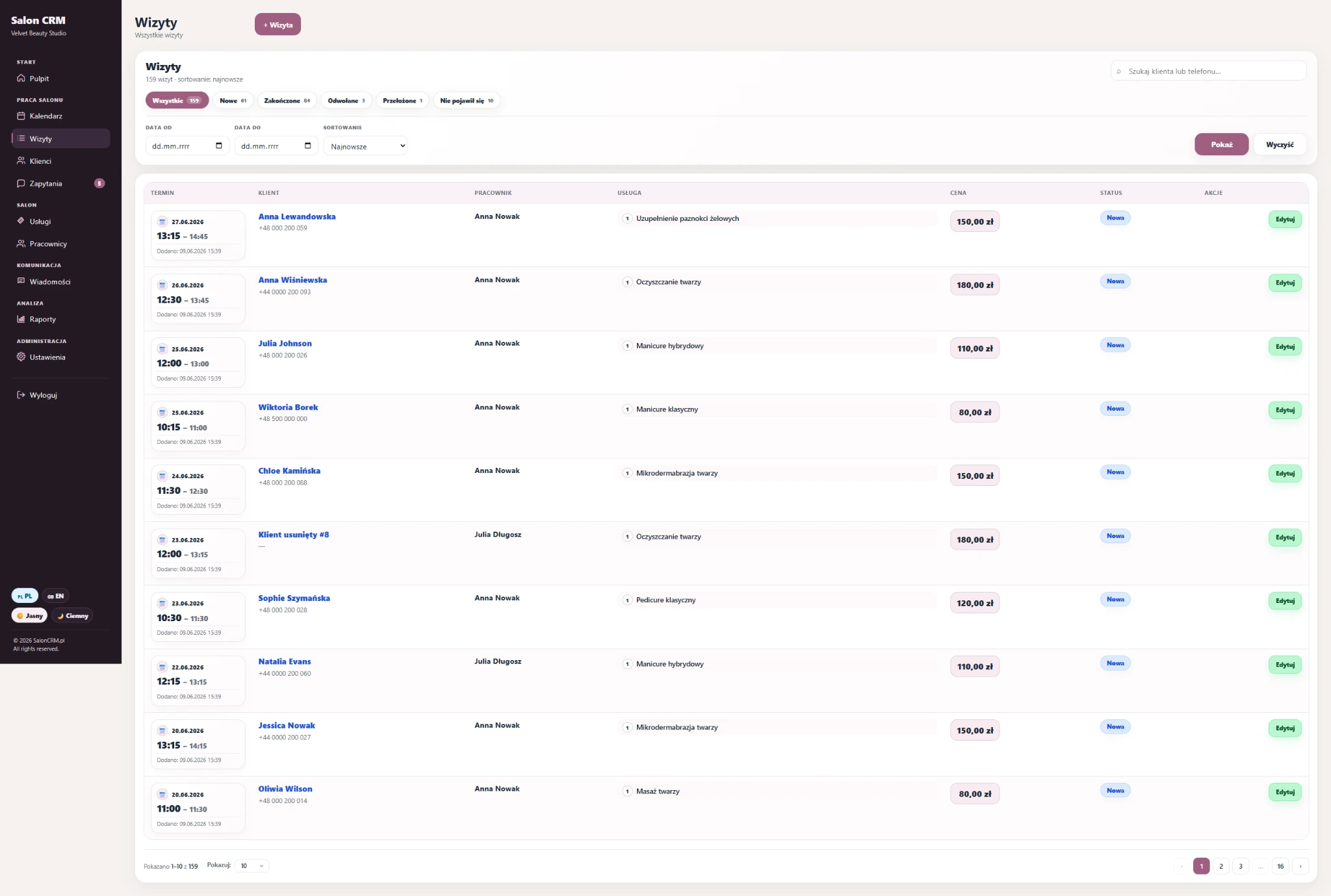
Appointment list with filters, statuses, prices and fast edit access.
This section shows that SalonCRM goes far beyond a calendar — it also organises the client card, notes, photos and requests coming from the public booking link.
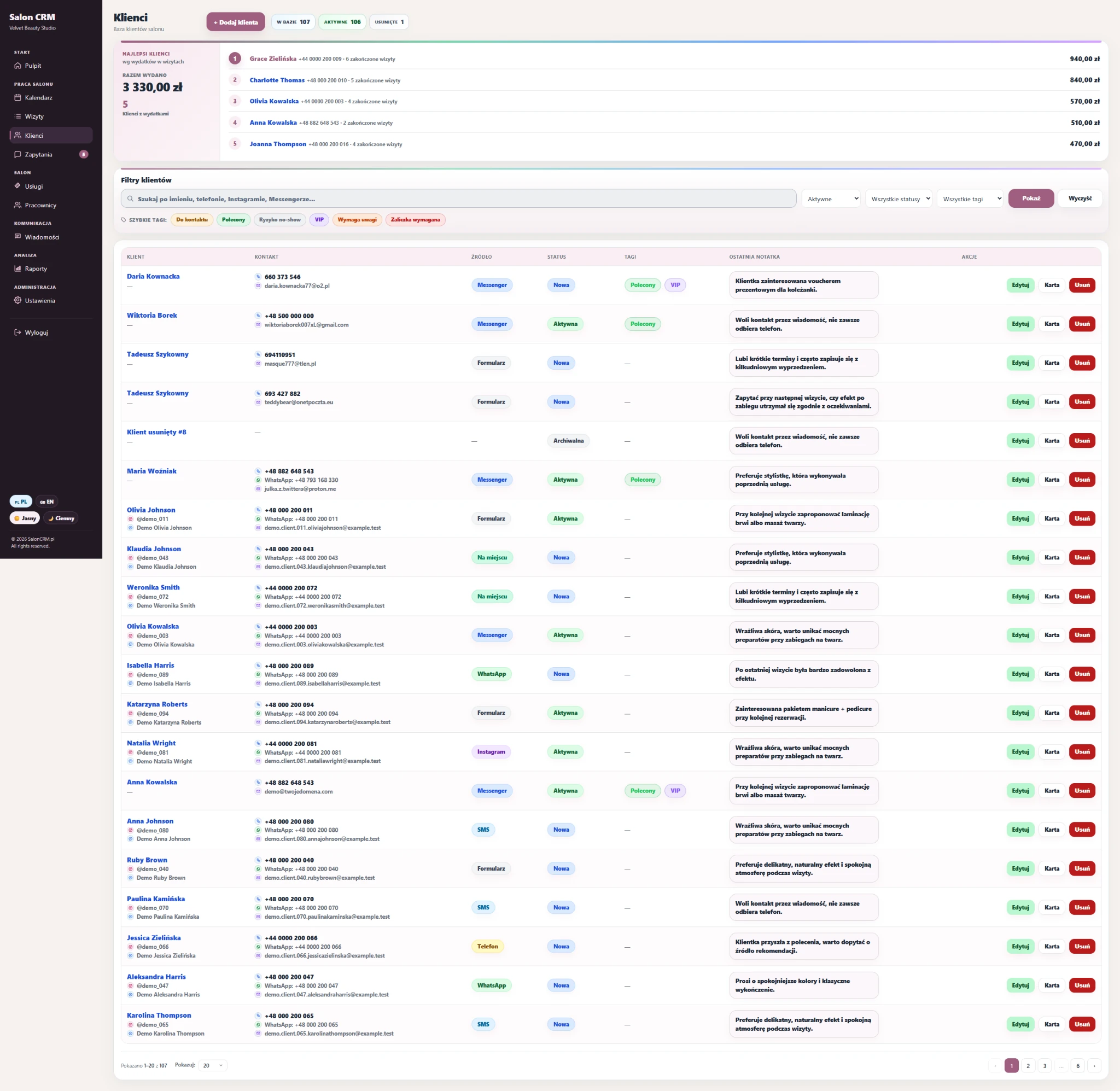
A view with recent notes, so important client information is visible at a glance.
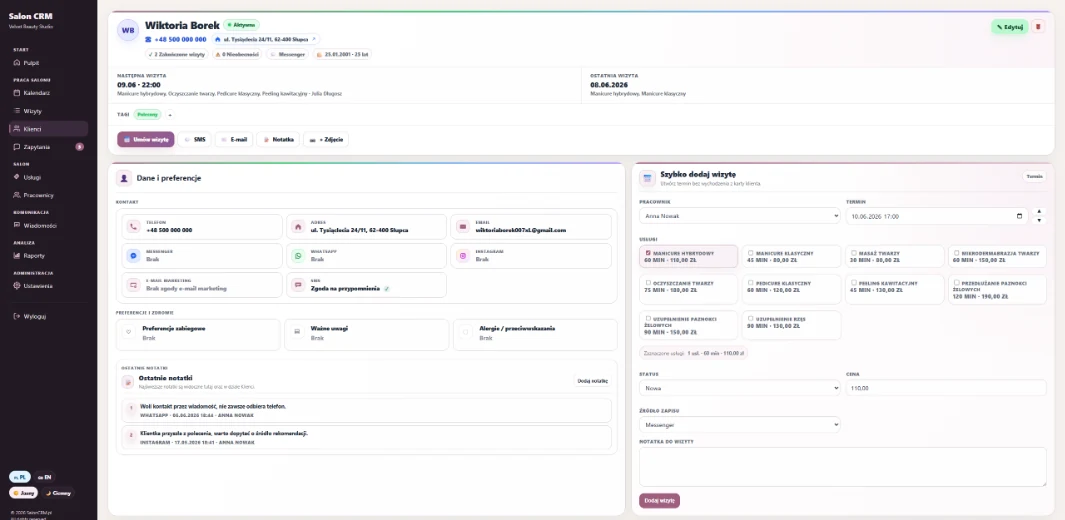
Key contact data, client status and fast actions: appointment, SMS, e-mail, note and photo.
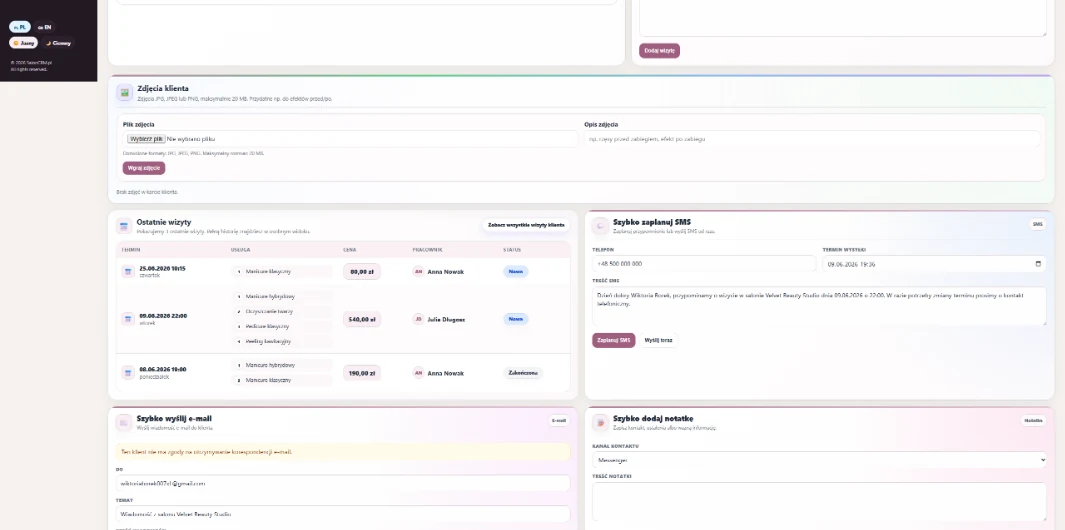
Preferences, notes, allergies and a quick panel to add the next appointment.
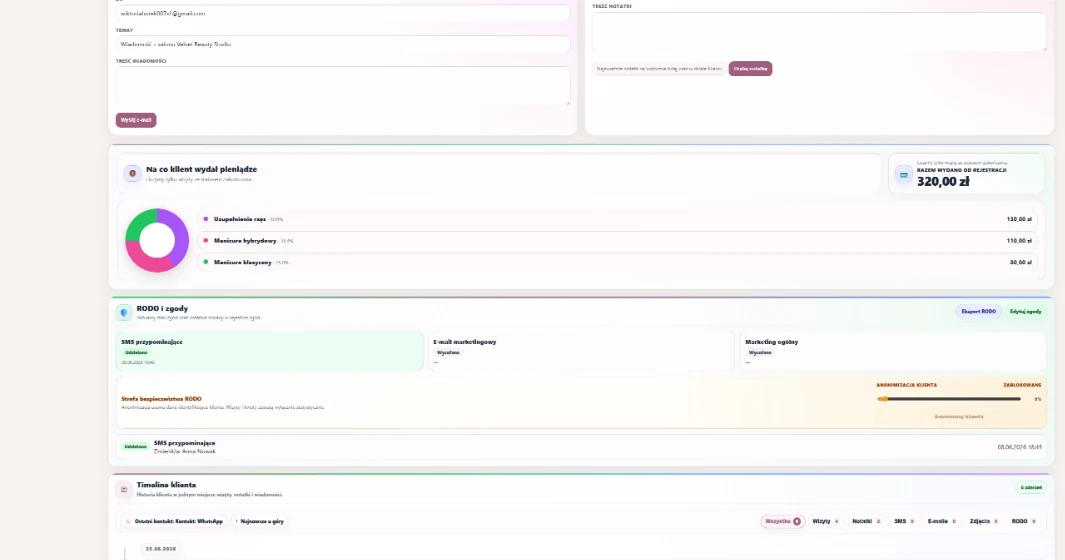
Client photos, recent visits, quick SMS / e-mail and service notes.
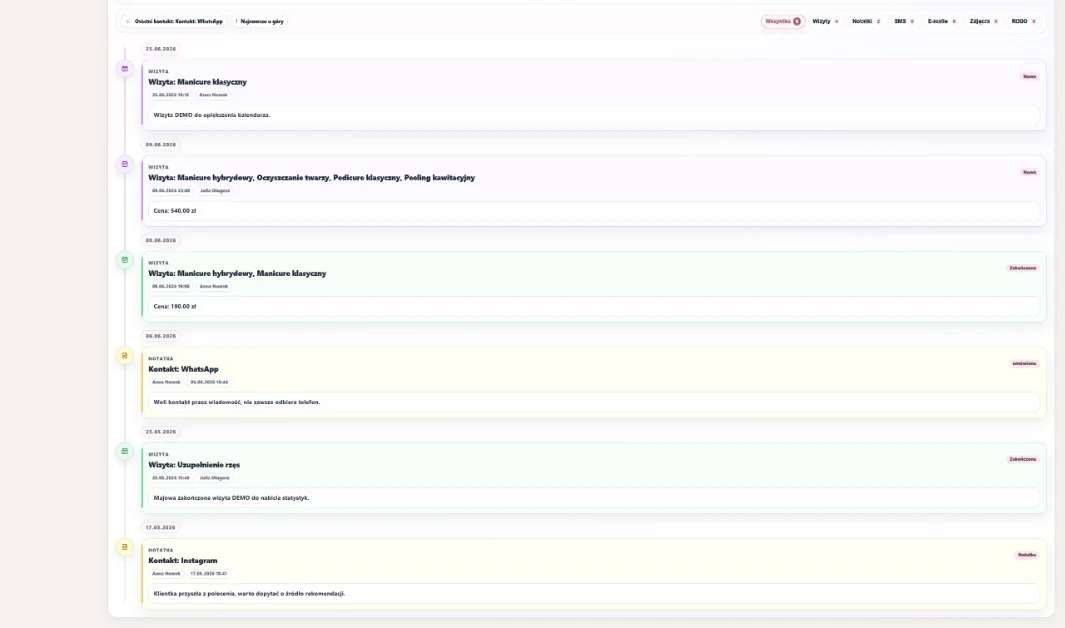
Consents, GDPR blocks and the full client timeline with visits, notes and communication.
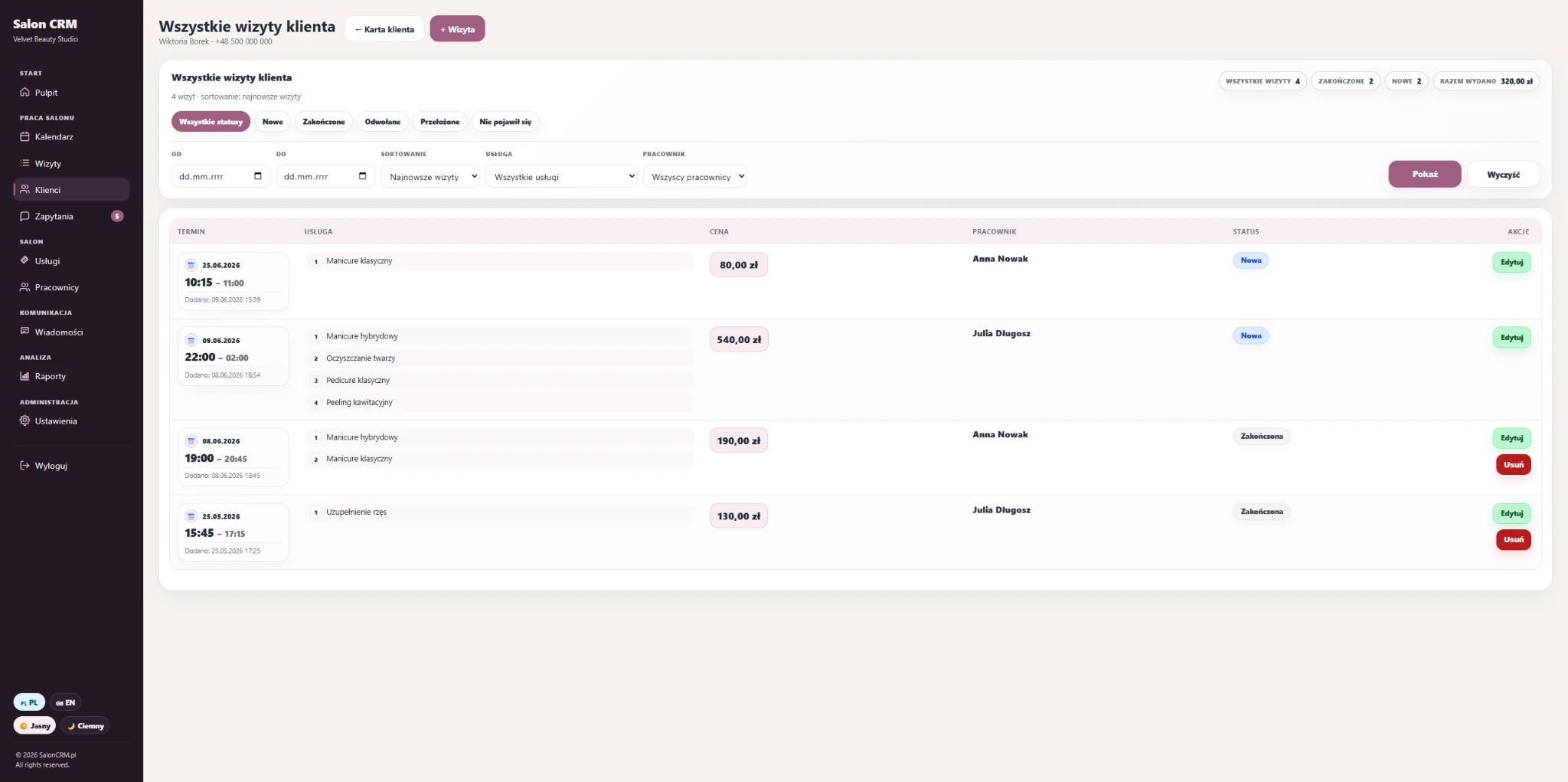
A dedicated history view for one client with filters by services, statuses and employees.
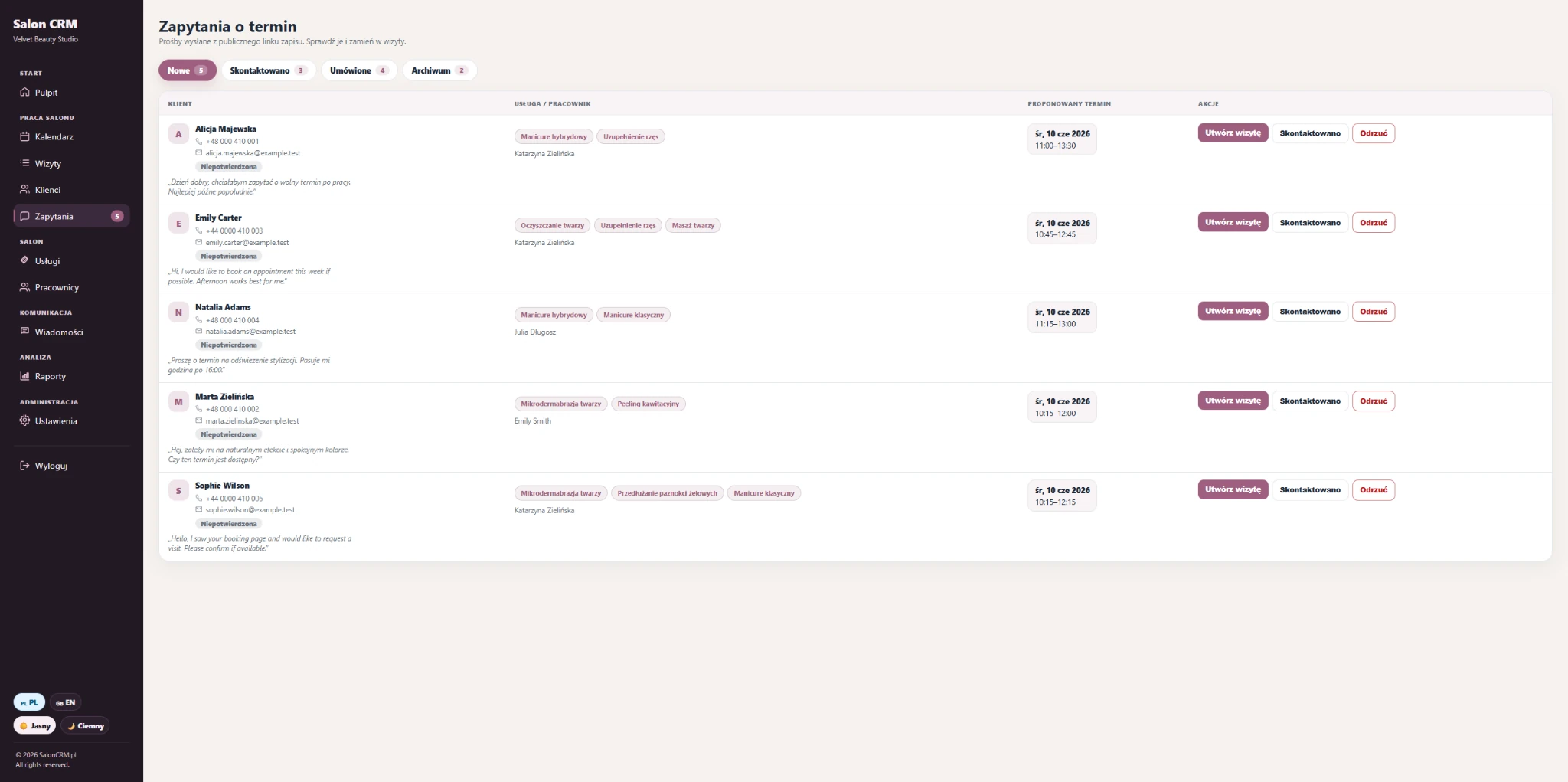
New requests from the booking link that can be converted into an appointment, contacted or rejected.
These are the operational views: service list, create forms, employee management and the personal schedule used by staff.
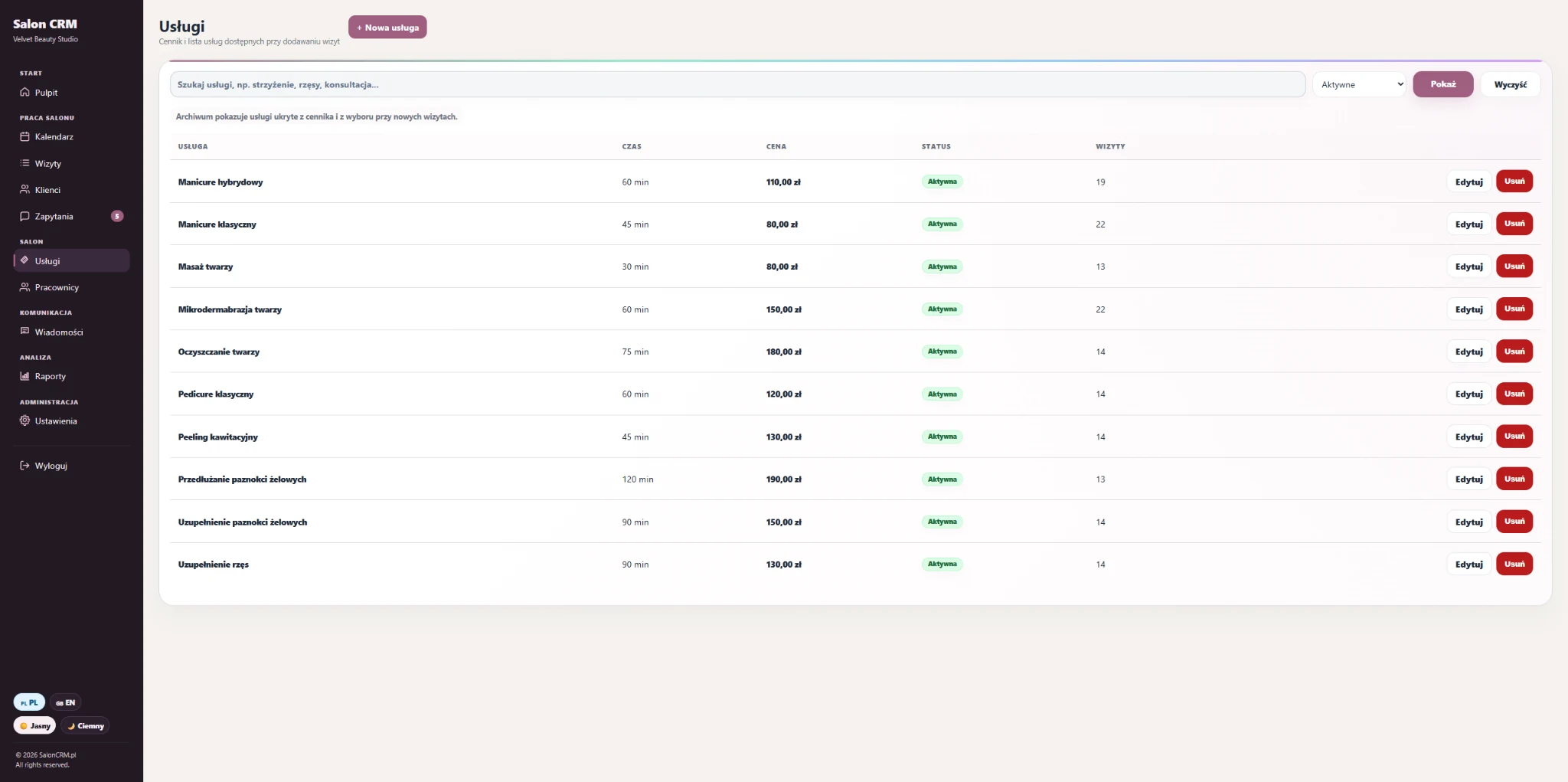
A structured service list with duration, price and visit count for every item.
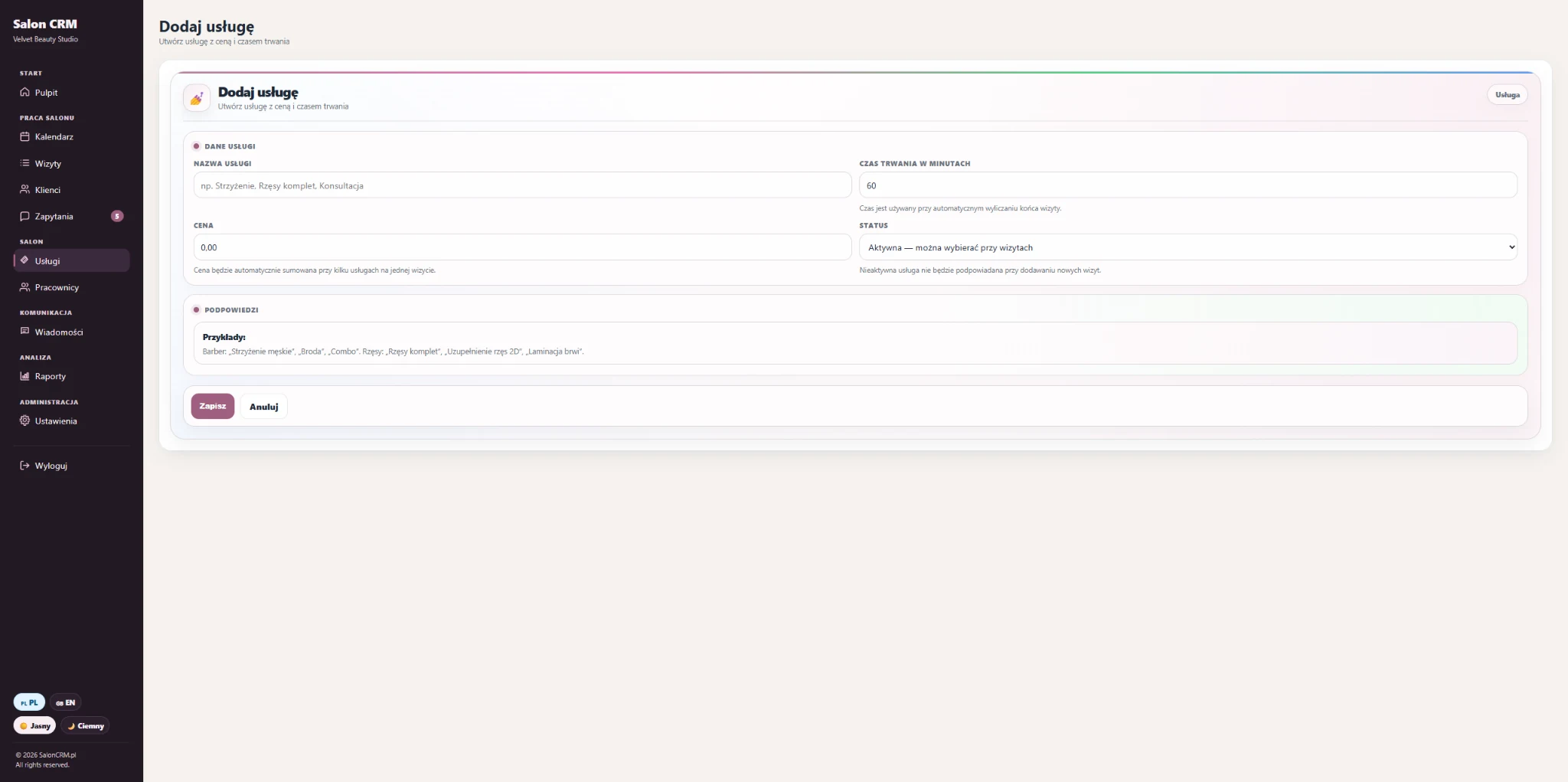
A simple form for creating a new service with price, duration and status.
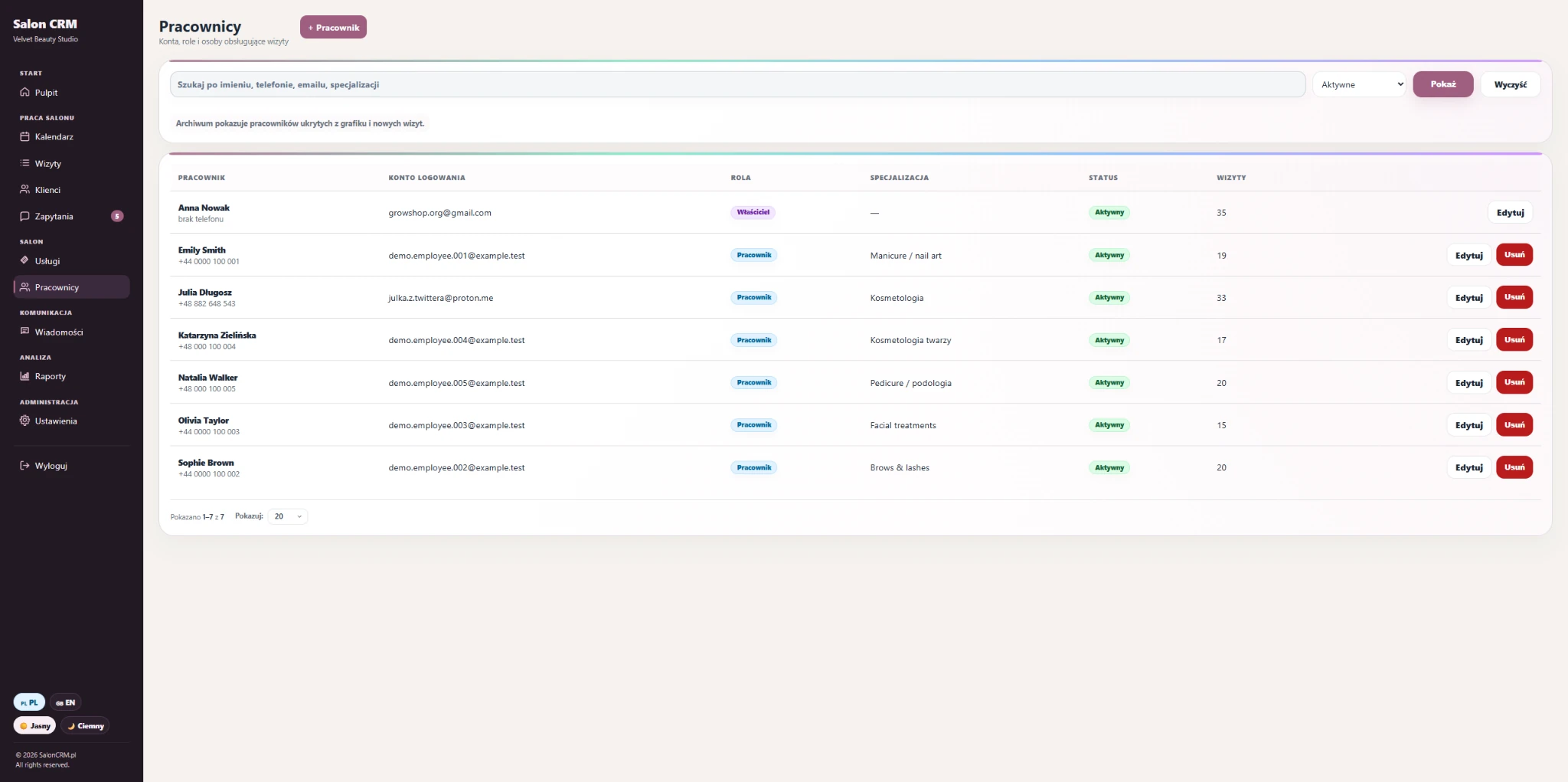
Team panel with roles, specialisations, status and visit count for each person.
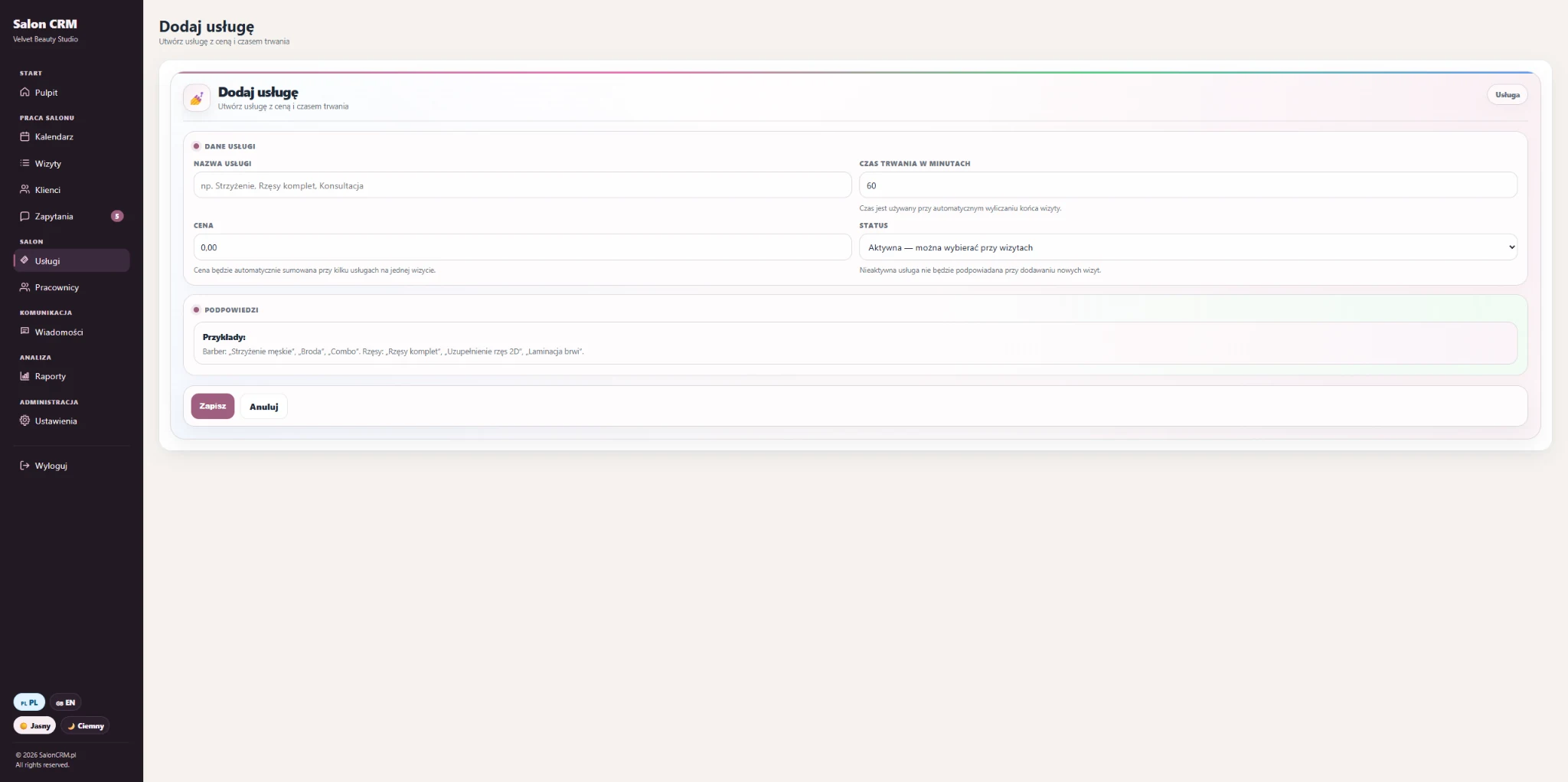
A form for adding a person to the schedule and optionally creating a login account.
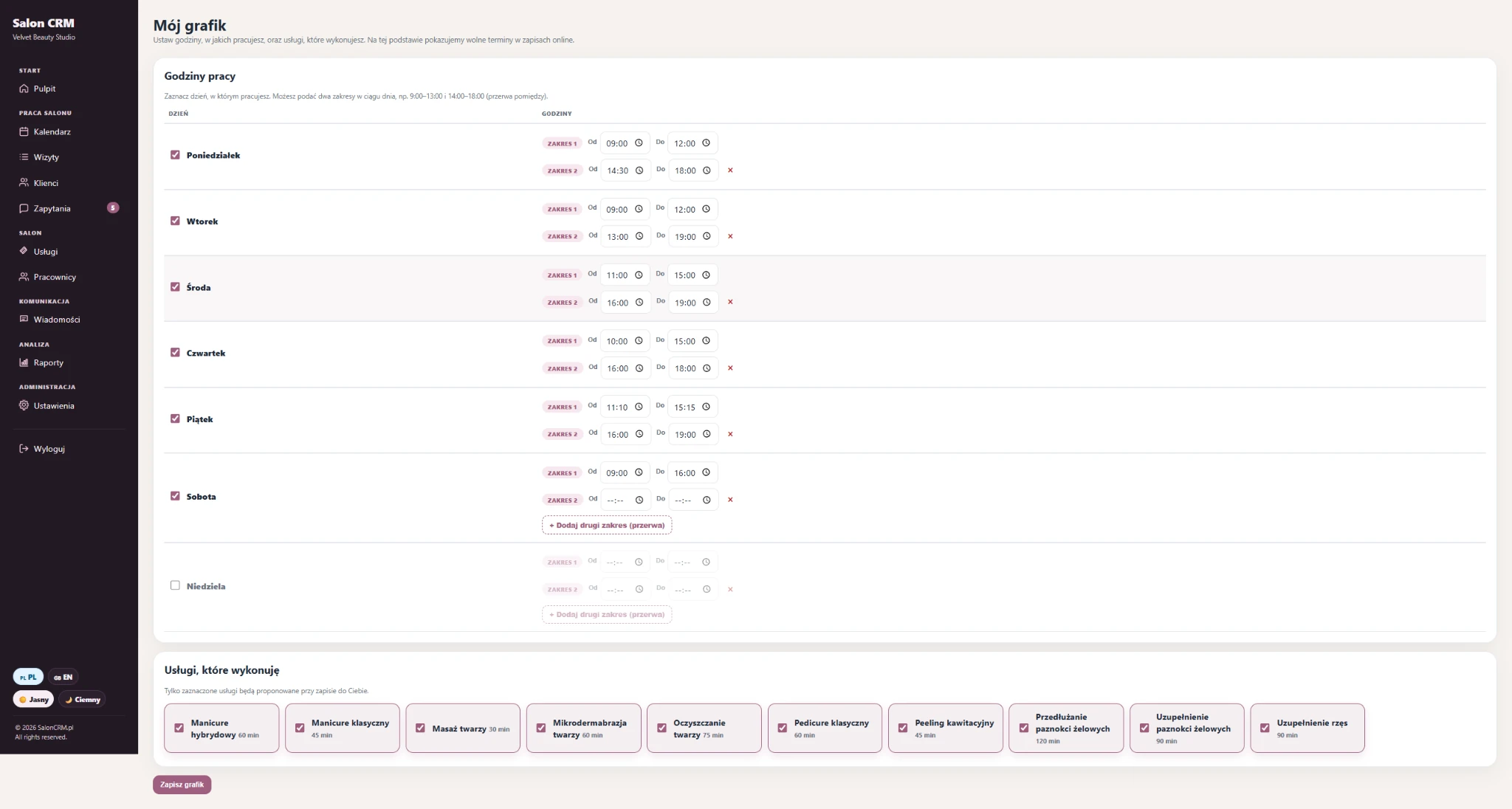
Working days, working hours and service availability defined for a specific employee.
The tall statistics screen is split into readable blocks, so visitors can actually see the key analytics sections without struggling with zoom.
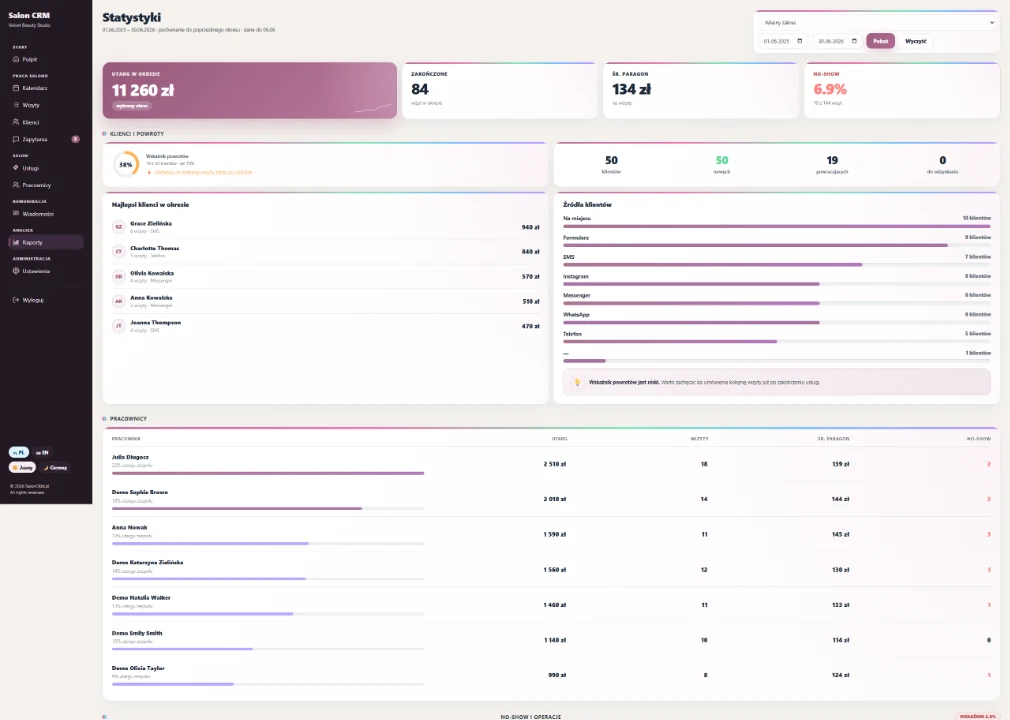
Revenue, appointment count, average ticket value, no-show rate and client sources.
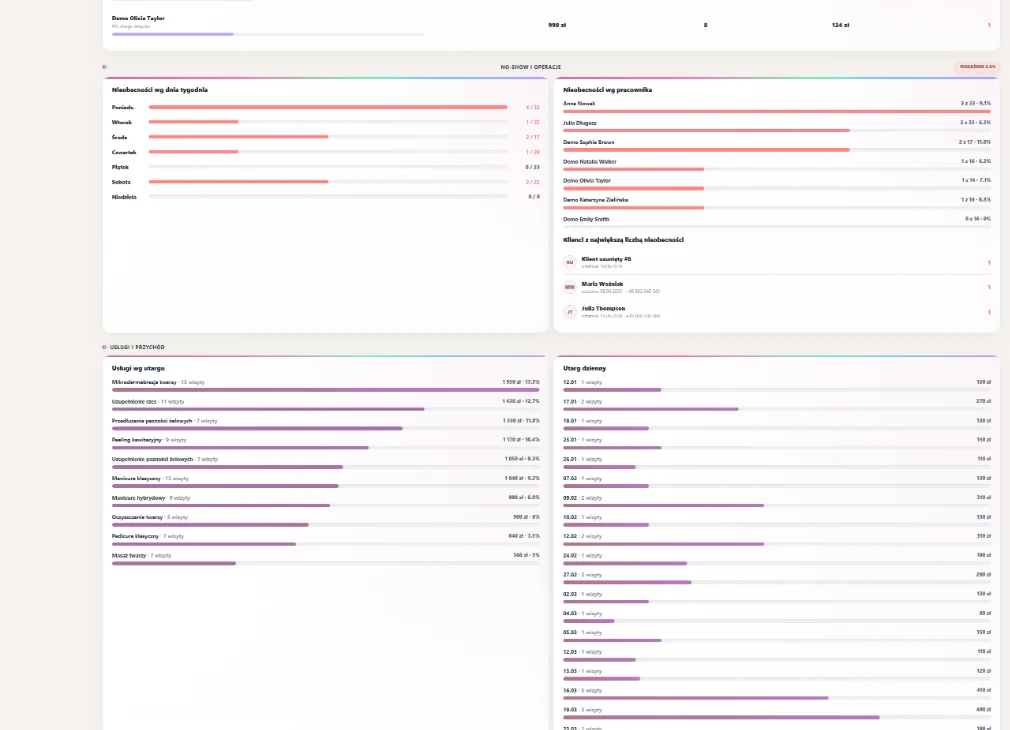
Employee comparison plus daily and staff no-show analytics.
The salon can still book a client in person, but you can also send her one permanent link. The same URL works in Messenger, WhatsApp, SMS, Instagram bio, your website and Google profile — the client opens it, chooses a service and sends a request without extra back-and-forth.
A short practical navigation by salon type. The extended SEO/AEO link hub stays lower, at the bottom of the page.
Treatments, consultations, consents, notes and client returns.
Manicure, pedicure, gels, hybrids and regular clients.
Lashes, brows, lamination, refills and reminders.
Appointments, touch-ups, client documentation and key notes.
Treatment series, intervals between visits and service history.
Colouring, care, notes on preferences and formulas.
Bookings, service packages, staff and occupancy calendar.
Consultations, treatments, consents and a tidy client card.
SalonCRM helps recover time and reduce no-shows: fewer calls, less searching for appointments and more control over the calendar.
Automatic messages after a visit is booked and reminders before the appointment end the "what time was it again?" calls. Schedule, cards and stats in one place — no copy-pasting from Excel and Messenger.
Reminders arrive on time, so clients forget less often. Every empty slot avoided is real revenue that stays in the till instead of vanishing.
A client card with history, preferences and birthday vouchers keeps clients coming back and feeling cared for. More returning clients means steadier, higher revenue.
With the PREMIUM plan at $54.90 net per month, winning back just two no-show visits through SMS reminders can cover the subscription. The rest — time saved and returning clients — is pure gain.
Illustrative example — real results depend on the salon and visit volume.
START includes the full CRM without SMS support. PREMIUM is the same system plus unlimited system SMS. Both plans show clear net and gross prices.
Full CRM for day-to-day salon work: clients, calendar, services, staff schedules, e-mails, GDPR and reports — without SMS support.
The same full SalonCRM as START, but with unlimited SMS for reminders, confirmations and client communication.
Switch to SalonCRM and we’ll handle the whole technical side. We’ll migrate your clients, visits and notes from your old system — no downtime, no lost history.
You sip your coffee and look after your clients — we handle the technical side so your workflow never skips a beat. ☕
+ free data migration from your current system. No credit card, no commitment.
SalonCRM ships with built-in GDPR from day one: a consent register, data export, a client anonymisation system and the right to be forgotten in one click. Client data stays under control, and you stay calm during an audit.
First, test the public booking link without logging in. Then request access to the full SalonCRM panel.
SalonCRM works for different beauty businesses — beauty salons, nail studios, lash studios, hair salons and spa businesses. Links lead to existing SEO pages.
14 days free. Full access.
Tell us about your business — we’ll prepare your salon panel and reach out to get you started.
No commitment. No credit card required.
Manage consent for each category. You can change it anytime in our Cookie Policy.
Required for the site to work and stay secure (e.g. session, storing consents, form protection). These cannot be turned off.
Remember your preferences, e.g. chosen language (PL/EN) or theme, to make the site easier to use.
Help us understand how you use the site (e.g. Google Analytics) so we can improve it. Data collected anonymously.
Used to show relevant ads and measure their performance (e.g. Meta Pixel, Google Ads).